You're on the list!

Welcome to the VibeKeys development community.

// BUILD FOR AI-FIRST CODING

Code at the Speed of Thought

A minimalist keypad designed for vibe coders. Accept, reject, and iterate on AI suggestions with satisfying tactile precision. Toggle on and off voice inputs.

🚀 As low as $29 -- FREE shipping world-wide!

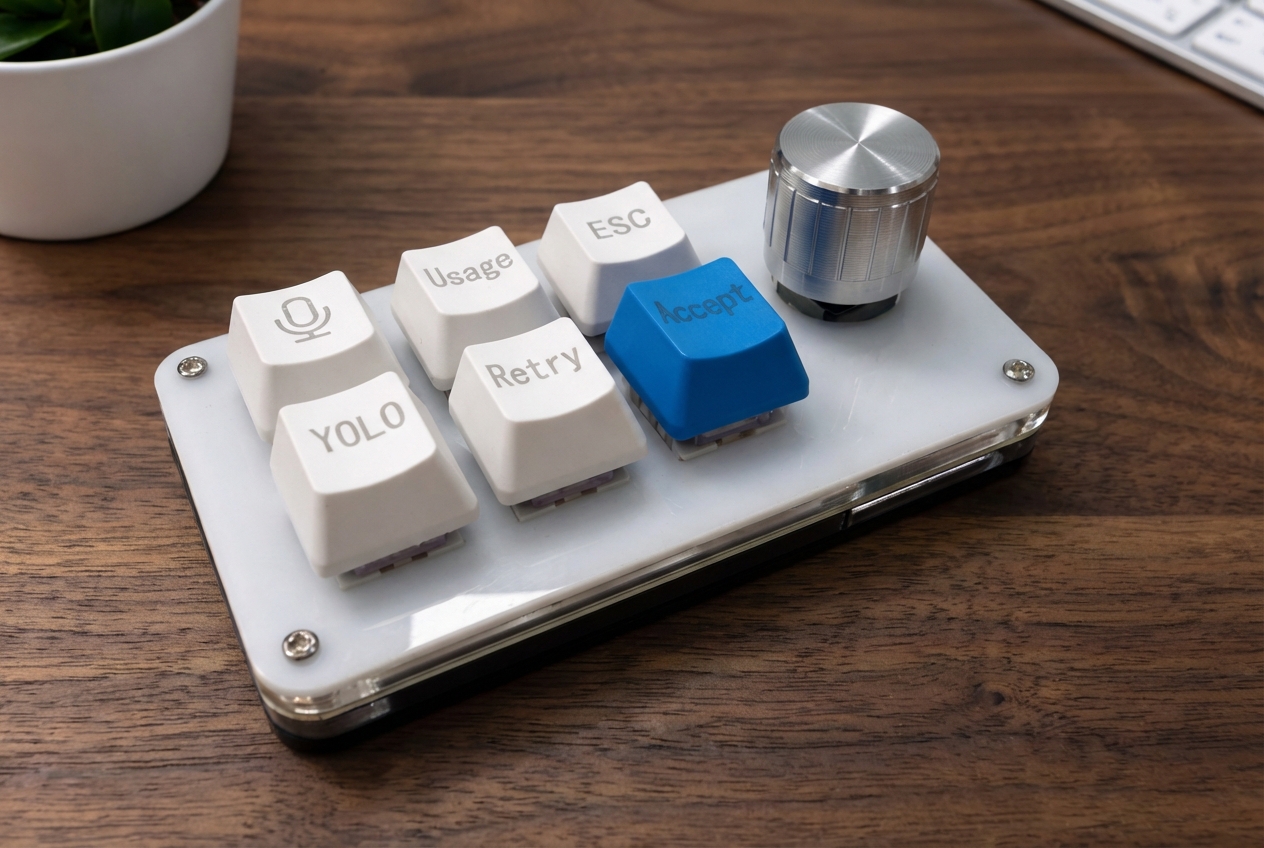
VibeKeys Pro - The Ultimate AI Coding Keypad

Built for the AI-Native Workflow

Every feature designed to accelerate your collaboration with AI coding agents like Claude Code, Codex, Genimi CLI, OpenCode, Copilot, Cursor and more.

Lightning-Fast AI Interaction

Accept or reject suggestions with a single satisfying click. The clicky keys provide tactile and audio feedback that makes every action deliberate and confirmed.

🎯

Ergonomic Layout

It is small and operated with one finger! Okay, two fingers to operate the knob and make selections from AI suggested actions. You can also re-map the keys to your favorite tasks.

🎤

Voice-Powered Coding

Dictate commands, instructions, plans, comments and even code with your voice. VibeKeys works with voice typing software, making it easy to speak directly into your coding agent.

🎚️

Precision Navigation Knob

Scroll through code, move up and down in files, and confirm actions with the tactile rotary knob. Natural, precise control at your fingertips.

🖥️

Smart Display (Max Edition)

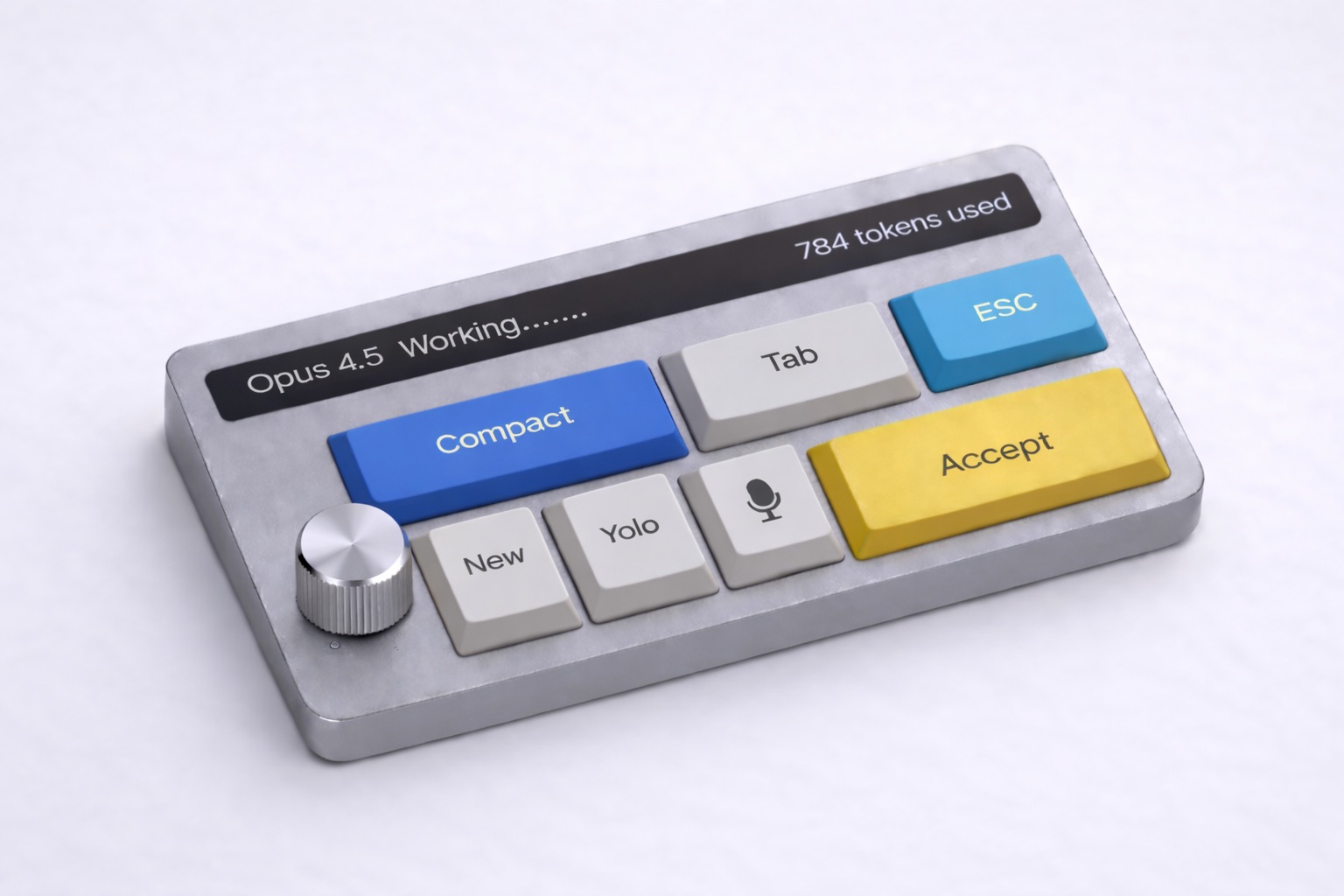
LED screen shows status, voice input feedback, and key modes at a glance. Requires an open source plugin for Claude Code or your agent.

🔌

Dual Connectivity (Max Edition)

USB-C wired or Bluetooth 5.0 wireless for maximum flexibility. Pro edition is USB-C only.

Join the Community

VibeKeys Pro is ready to ship, and we're actively developing the Max edition. Your feedback helps us improve.

🎯

Shape Future Features

Your feedback on layouts, voice input features, and workflow improvements will influence future VibeKeys updates and accessories.

🔧

Ongoing Development

We're continuously improving VibeKeys based on real user input. Share your experience and help make it even better.

💎

Community Perks

Members receive exclusive updates on new features, early access to accessories, and priority support for any questions.

Get VibeKeys Pro now or pre-order the Max model to join our growing community of developers.

Choose Your Vibe

Two editions designed for different vibes. Both built for efficient coding.

VibeKeys Max

VibeKeys Max

PRE-ORDER, free shipping

$99 USD
$69USD
30% OFF
  • Everything in Pro, plus:
  • LED status display
  • Bluetooth wireless connectivity
  • Ergonomic keyboard layout
  • Status update from Claude Code
Build in public → Pre-order Max

Frequently Asked Questions

How can I provide feedback and suggestions?
When you join the waitlist or pre-order, you'll get access to our exclusive development community. Share your thoughts on key layouts, voice input features, and more. We post regular updates and value your input for future improvements.
When will VibeKeys ship?
VibeKeys Pro ($29) is available to ship in a week. VibeKeys Max ($69) is available for pre-order and will ship end of February or March 2026. Pre-orders help us fund manufacturing and you'll receive regular updates on our progress.
How much do you charge for shipping?
World-wide shipping is FREE!
Does it work with AI tools other than Claude Code?
Yes! VibeKeys works out of the box with Claude Code. We will provide software and instructions on how to map the keys and knob for Codex, Gemini CLI, OpenCode, Cursor, and more!
Can I customize the key mappings?
Absolutely. VibeKeys has 6 customizable keys that can be remapped to suit your workflow. The Max model includes additional software for advanced customization.
How does voice input work?
The microphone key is mapped to toggle on and off popular voice typing and dictation software, such as Typeless and WisprFlow.
What can I do with the knob?
The precision knob lets you scroll through code, navigate up and down in files and go through AI suggested list of actions. You can press it to select an item or confirm an action. It's a natural, tactile way to move in the CLI UI without reaching for your mouse.
What's the difference between Pro and Max editions?
The Pro edition ($29) has USB-C wired connection, voice input support, 6 customizable keys, and a navigation knob. The Max edition ($69) adds an LED display for status messages, a more ergonomic keys layout, as well as Bluetooth 5.0 wireless connectivity.
Is the Max edition worth the upgrade?
If you want wireless freedom and visual feedback, absolutely. The LED screen shows your vibe coding agent's status and feedback at a glance. Bluetooth support gives you flexibility in how you work.
Stay Updated

✅ VibeKeys Pro Available Now

Join the waitlist to get notified when the Max model is ready to ship and receive updates on new features and accessories.

💬 Pre-order the Max edition at $69 (30% disocunt) or get the Pro edition for just $29.