Code from anywherein the room.
A small, tactile keypad for AI-first developers. Accept, retry and steer Claude Code, Cursor and Codex with one hand — voice input, a precision knob, and six clicky keys you can remap.
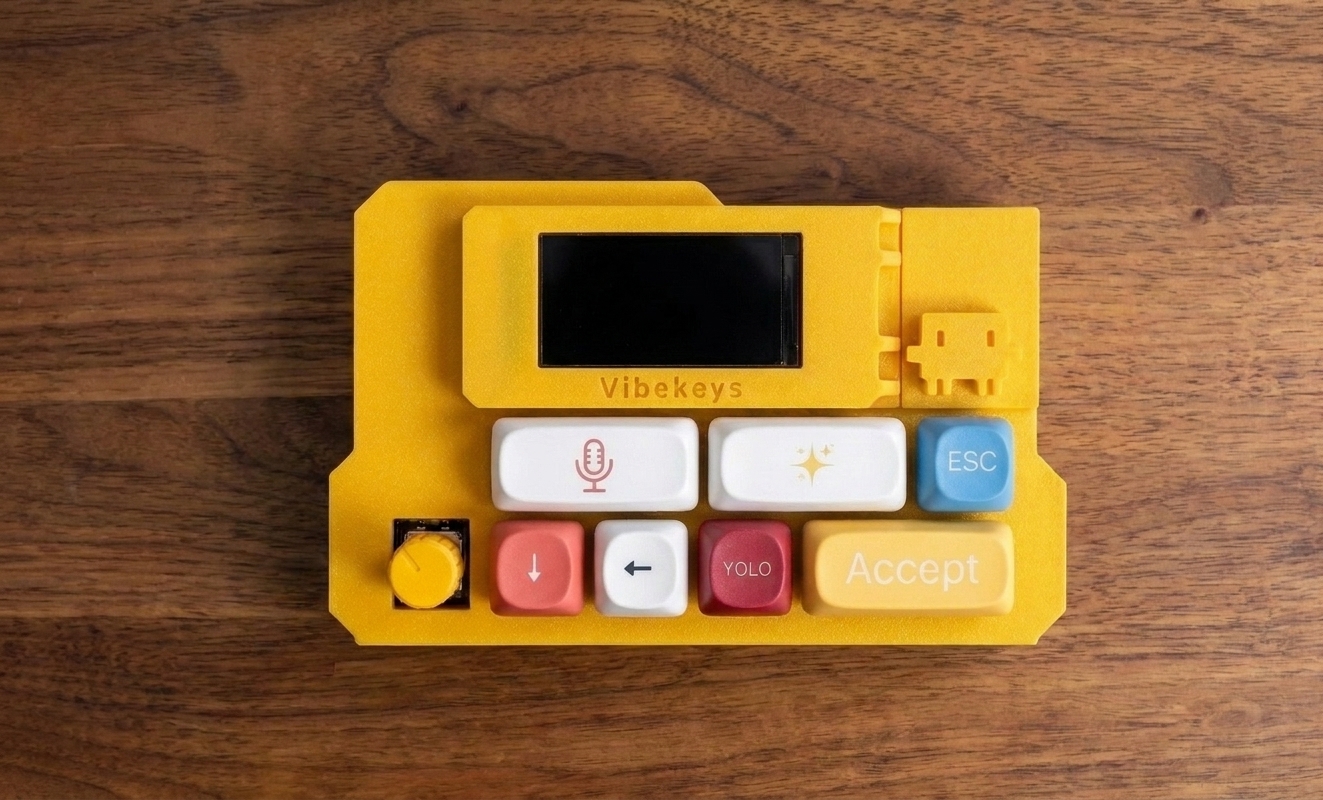
Everything you reach for, mapped to a key.
One-click AI interaction
Accept or reject a suggestion with a single, satisfying click. Clicky keys give tactile and audio feedback, so every action feels deliberate and confirmed — no reaching back for the keyboard mid-flow.
Precision knob
Scroll code, move through files, confirm actions with the rotary knob. One hand. No mouse.
6 remappable keys
Accept, Retry, YOLO, ESC, Voice — or whatever your workflow needs. Remappable to any tool or agent.
Voice input, hands-free
Dictate commands, instructions and code by voice. Works with your favourite dictation software.
Wi-Fi + Bluetooth remote
Drive Claude Code from the couch, the standing desk, or across the room. No cable, no keyboard reach.
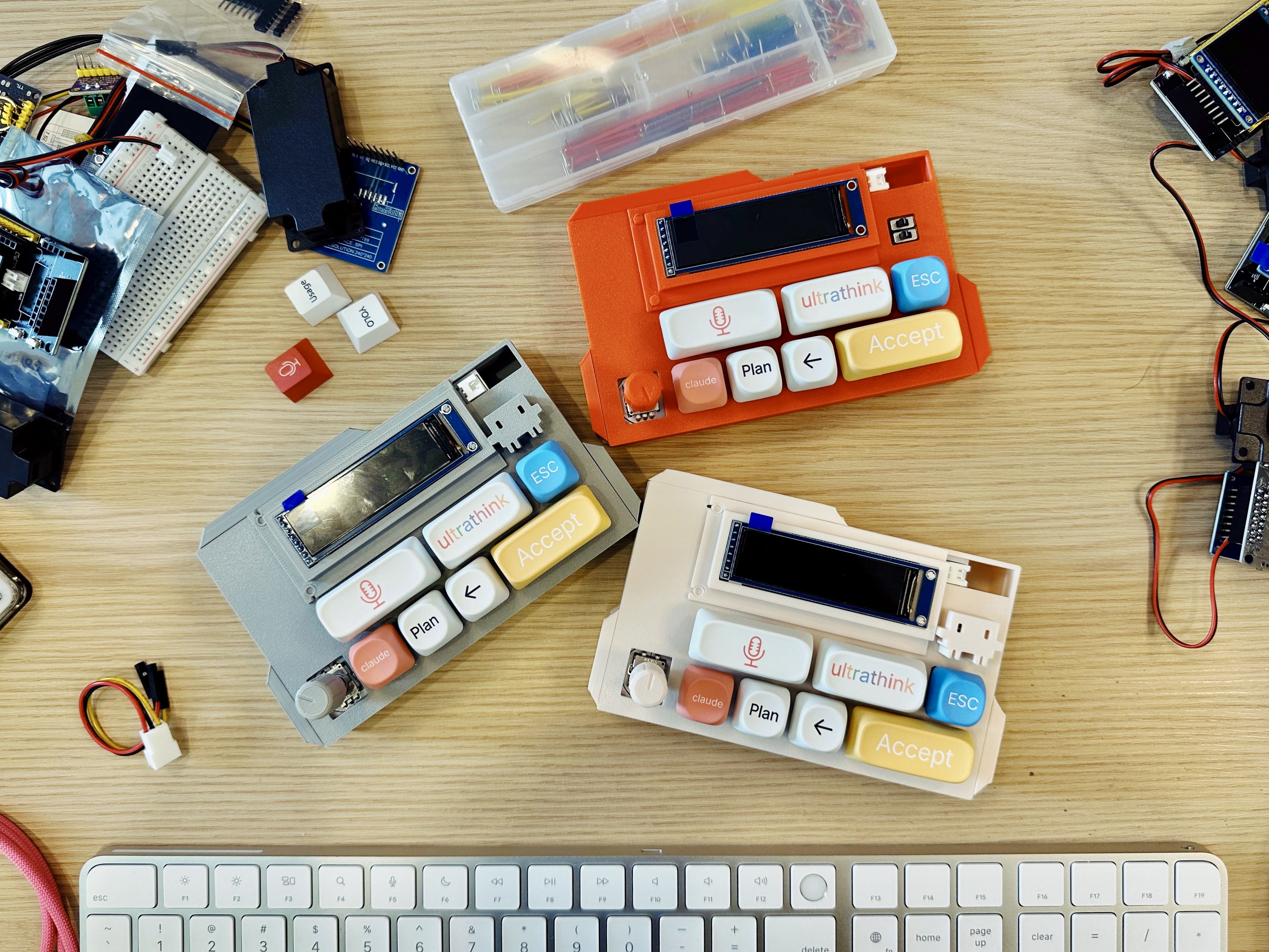
Status display
See Claude Code status, voice feedback and AI responses in real time — at a glance, without switching windows or breaking focus.
“Working with VibeKeys was a great experience from start to finish. The team was responsive, thoughtful, and easy to work with throughout the entire process, and the finished Custom VibeKeys Max turned out exactly as we had hoped. We were especially impressed by the communication and attention to detail along the way. I would gladly work with VibeKeys again.”
 Daniel BachHL7 Contributor Experience Lead, HL7 International
Choose your VibeKeys.
Three models for different workflows, plus VibeBuddy to watch your agents. Free worldwide shipping on all of them.
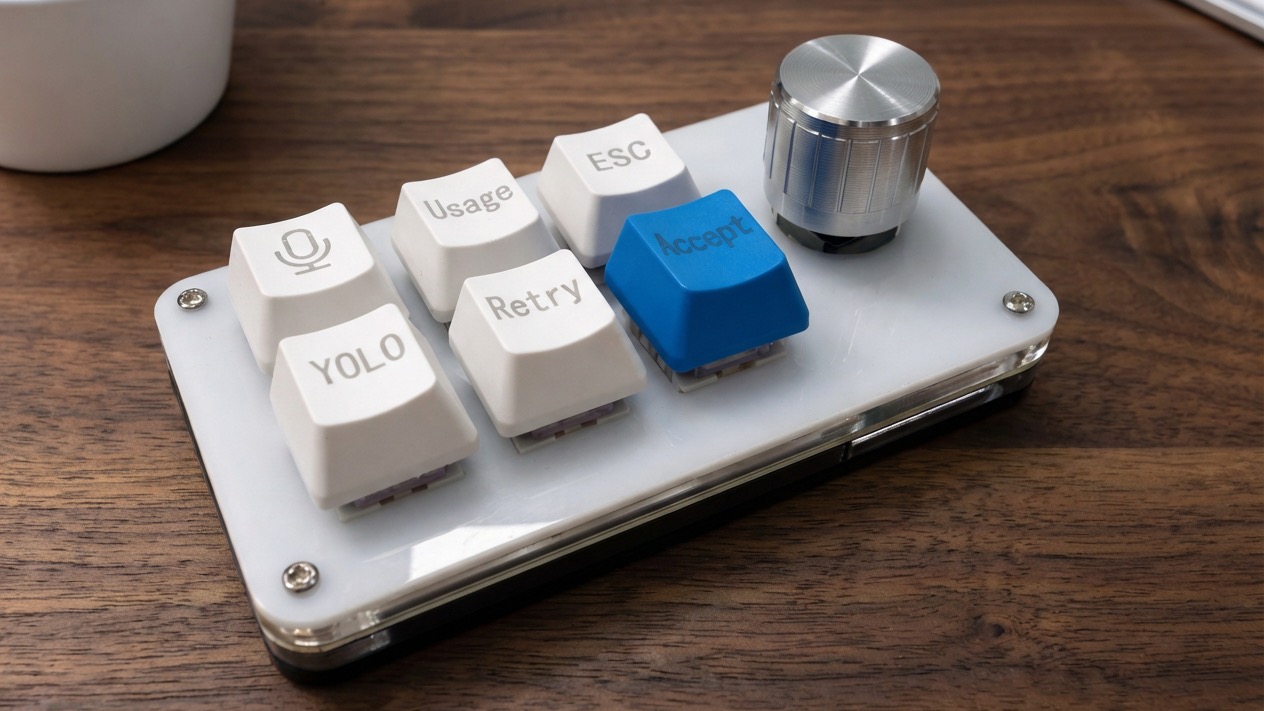
VibeKeys Pro
Wired · USB-C
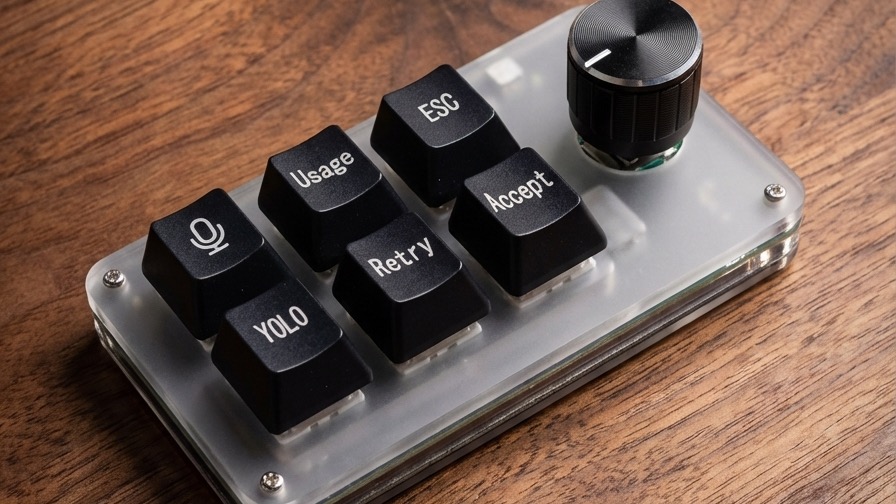
VibeKeys Plus
Wireless · up to 15 days
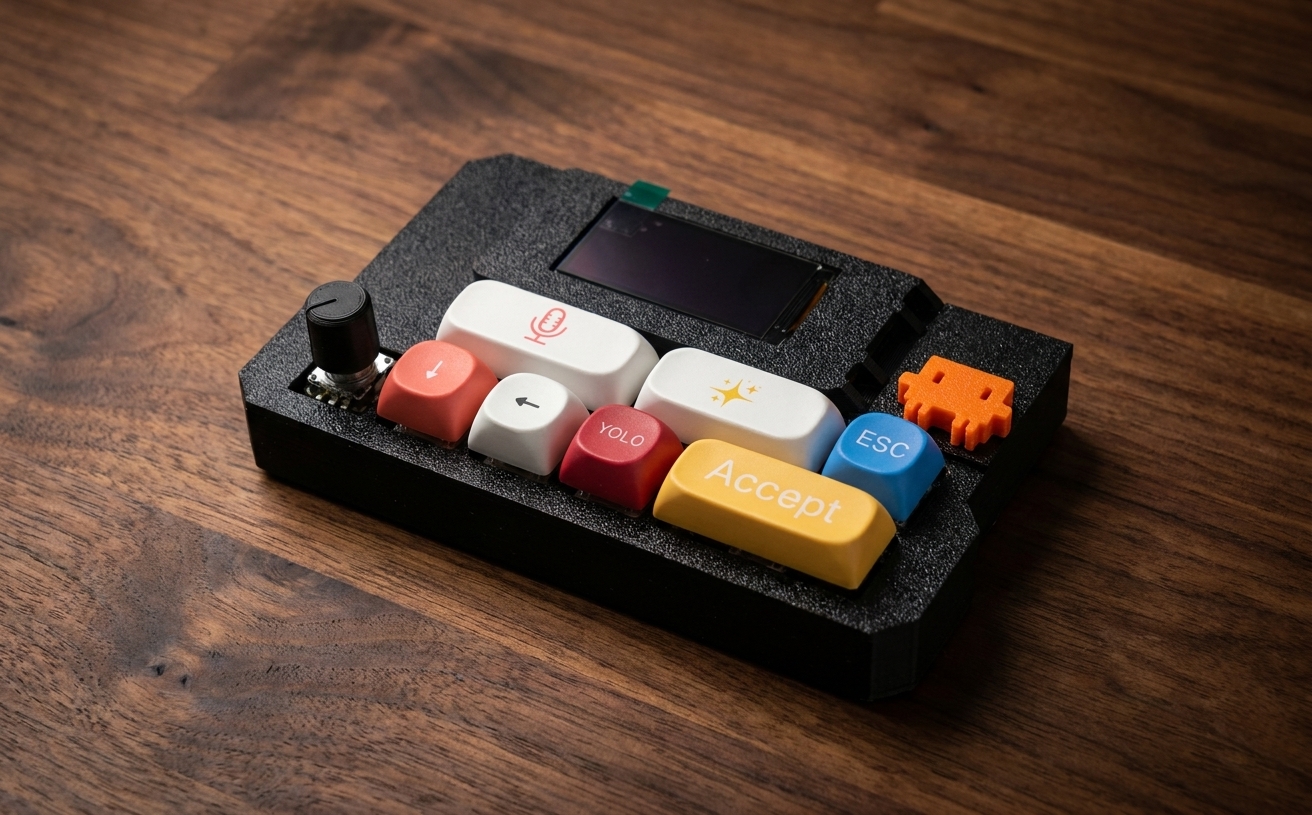
VibeKeys Max
Remote · status screen
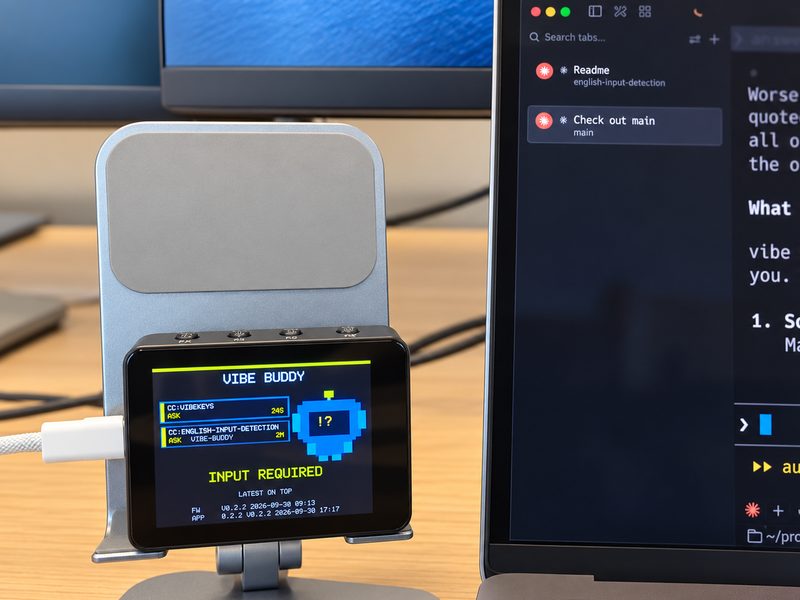
VibeBuddy
A desk buddy that tells you when your coding agents need you. It shows a task card and says a short line out loud when Claude Code, Codex, OpenCode, Copilot CLI, Pi or a GitHub Actions run needs you, finishes or fails.
$59 launch price until November 7, then $69 · ships within 3 business days
Buying for a team? Developer gifts, hackathon prizes, onboarding kits and bulk orders with invoice support.
See developer gifts →Frequently asked.
When will VibeKeys ship?
The VibeKeys Pro ($29) and VibeKeys Plus ($49) are in stock, and orders are typically processed within 48 hours of placement; the VibeKeys Max ($99) takes approximately 5 business days to manufacture before shipping.
How much is shipping?
Shipping is free worldwide on all VibeKeys models.
Does it work with AI tools other than Claude Code?
Yes. VibeKeys works great with Claude Code, and we also provide software and setup guidance for mapping the keys and knob to tools like Codex, Gemini CLI, OpenCode, Cursor, and more.
How does remote control mode work?
VibeKeys Max connects to your computer over Wi-Fi and works with the open-source vibetty server. After ordering, you'll receive the repository link and setup instructions. Once it's set up, you can control Claude Code from anywhere in the room using voice commands without reaching for your keyboard.
Can I customize the key mappings?
Yes. VibeKeys includes 6 customizable keys that you can remap to fit your workflow. VibeKeys Max also includes additional software for more advanced customization.
How does voice input work?
The microphone key can be mapped to toggle popular voice typing and dictation tools such as Typeless and Wispr Flow on and off.
What can I do with the knob?
The precision knob lets you scroll through code, move up and down in files, and navigate lists of AI-suggested actions. You can also press it to select an item or confirm an action.
What's the difference between VibeKeys Pro and VibeKeys Plus?
Both include free worldwide shipping. VibeKeys Pro ($29) is our compact wired model with USB-C, voice input, 6 customizable keys, and a navigation knob. VibeKeys Plus ($49) builds on Pro with Bluetooth and Wi-Fi, plus up to 15 days of battery life.
Is VibeKeys Max worth the upgrade?
If you want wireless remote control for Claude Code, then yes. VibeKeys Max adds a status screen, Bluetooth, and Wi-Fi, so you can see status at a glance and control your setup from anywhere in the room.