Assemble Your VibeKeys Max
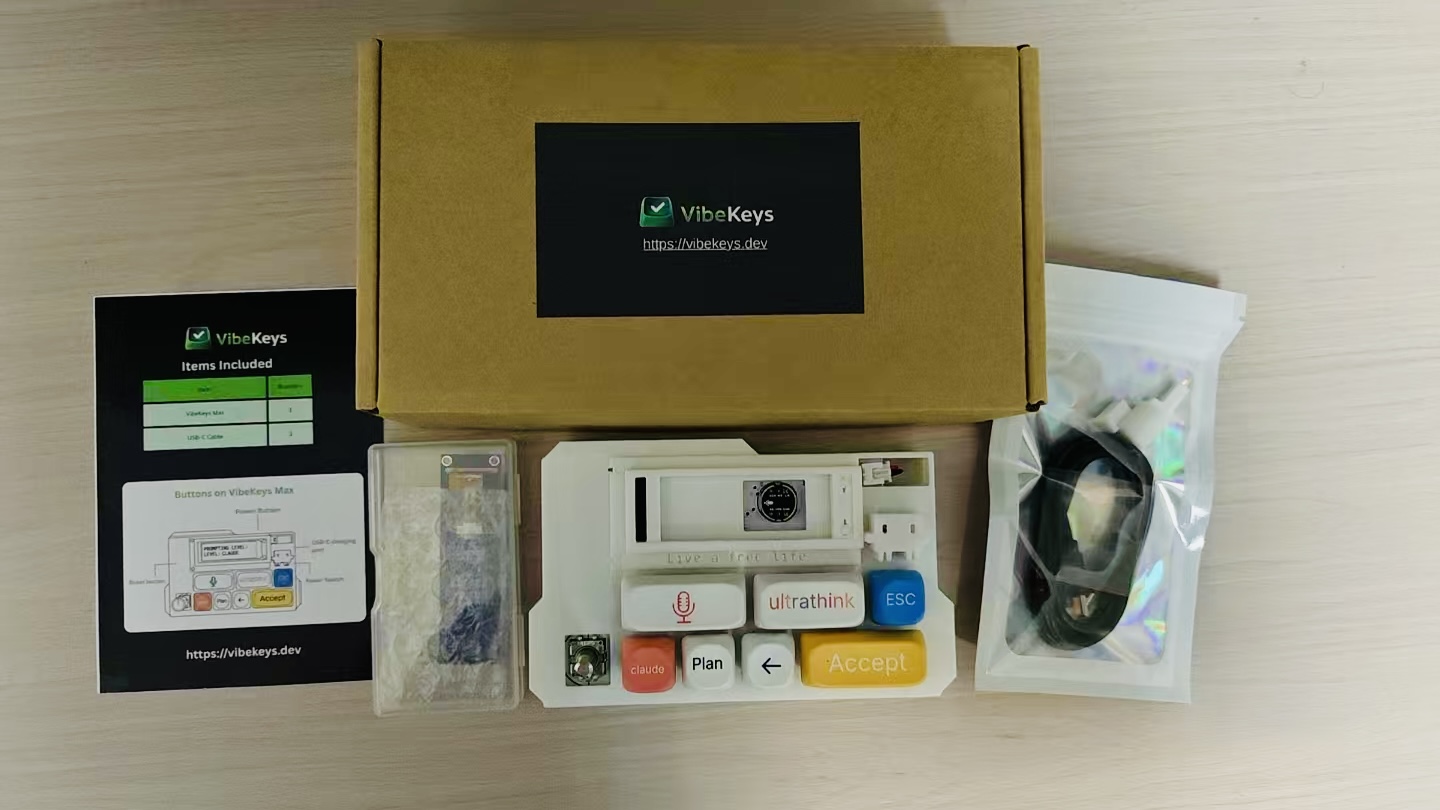
To protect the device during shipping, VibeKeys Max ships with the screen module detached from the keyboard body.
Before first use, complete the assembly steps below.
What's in the box
Your package includes:
- the VibeKeys Max keyboard body
- the screen module
- the knob cap
- two small tools
- a USB-C cable
Assembly
- Unpack the keyboard body and screen module carefully.
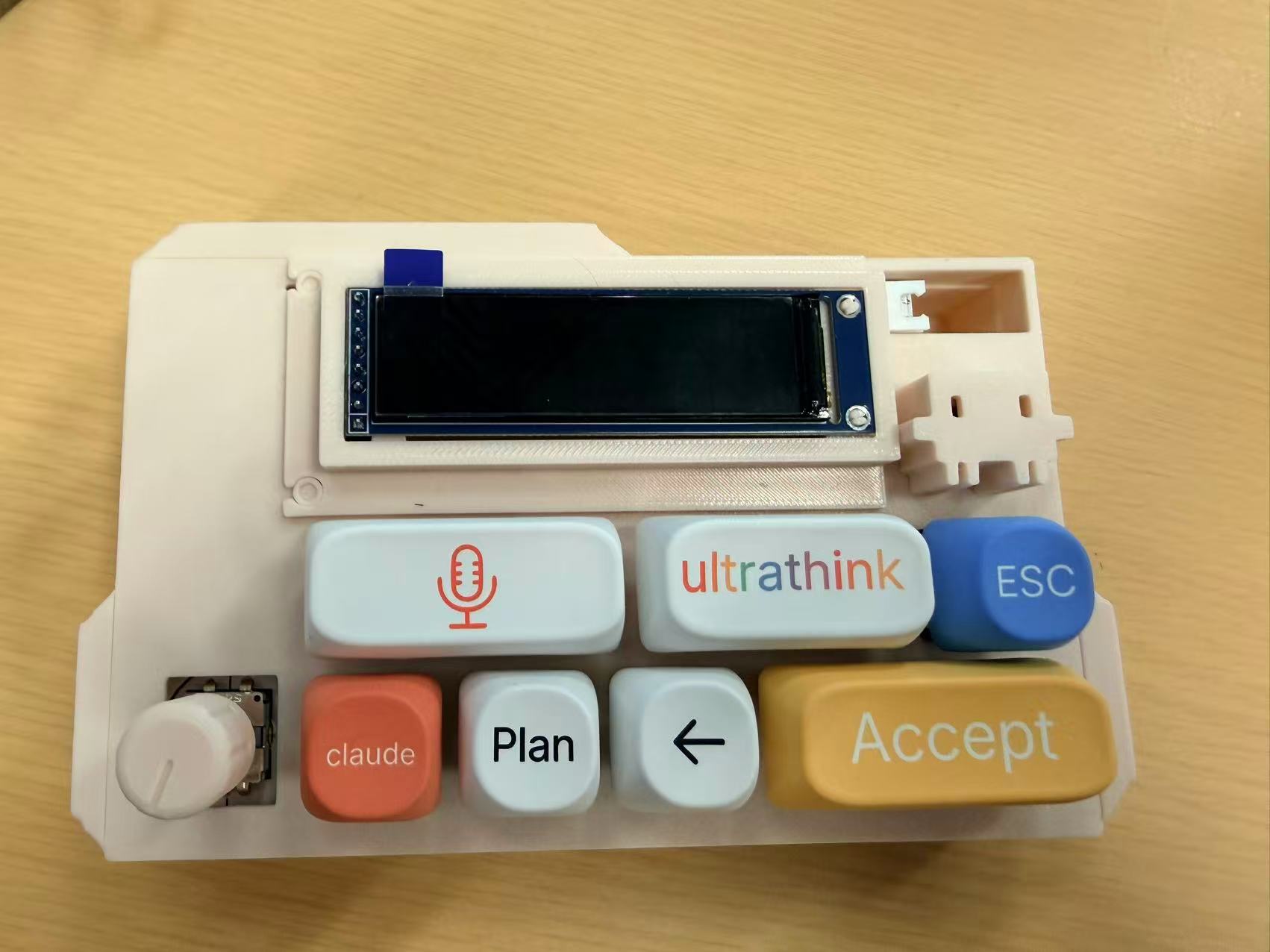
- Attach the screen module to the keyboard body.
- Install the knob cap.
Once assembled, your VibeKeys Max should look like this:
Before you continue
After assembly is complete, continue with: