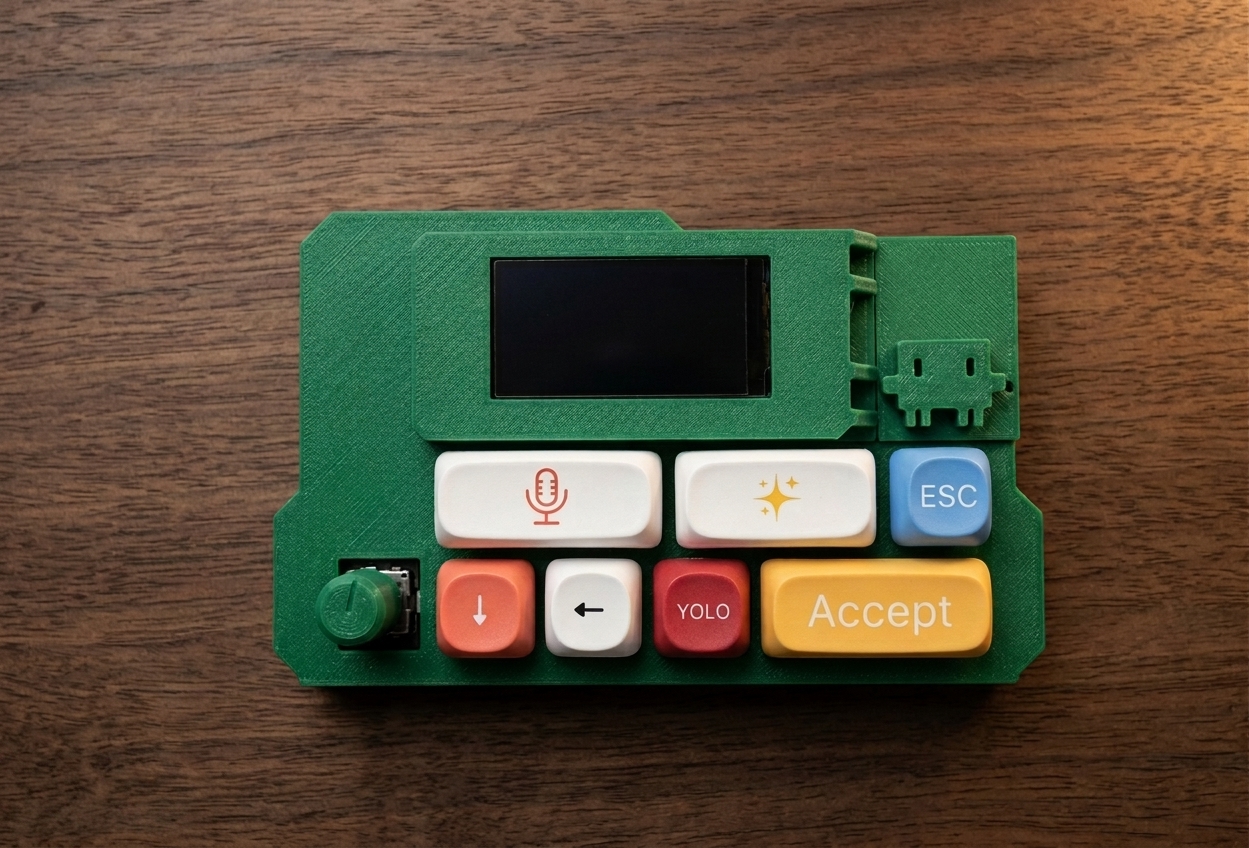
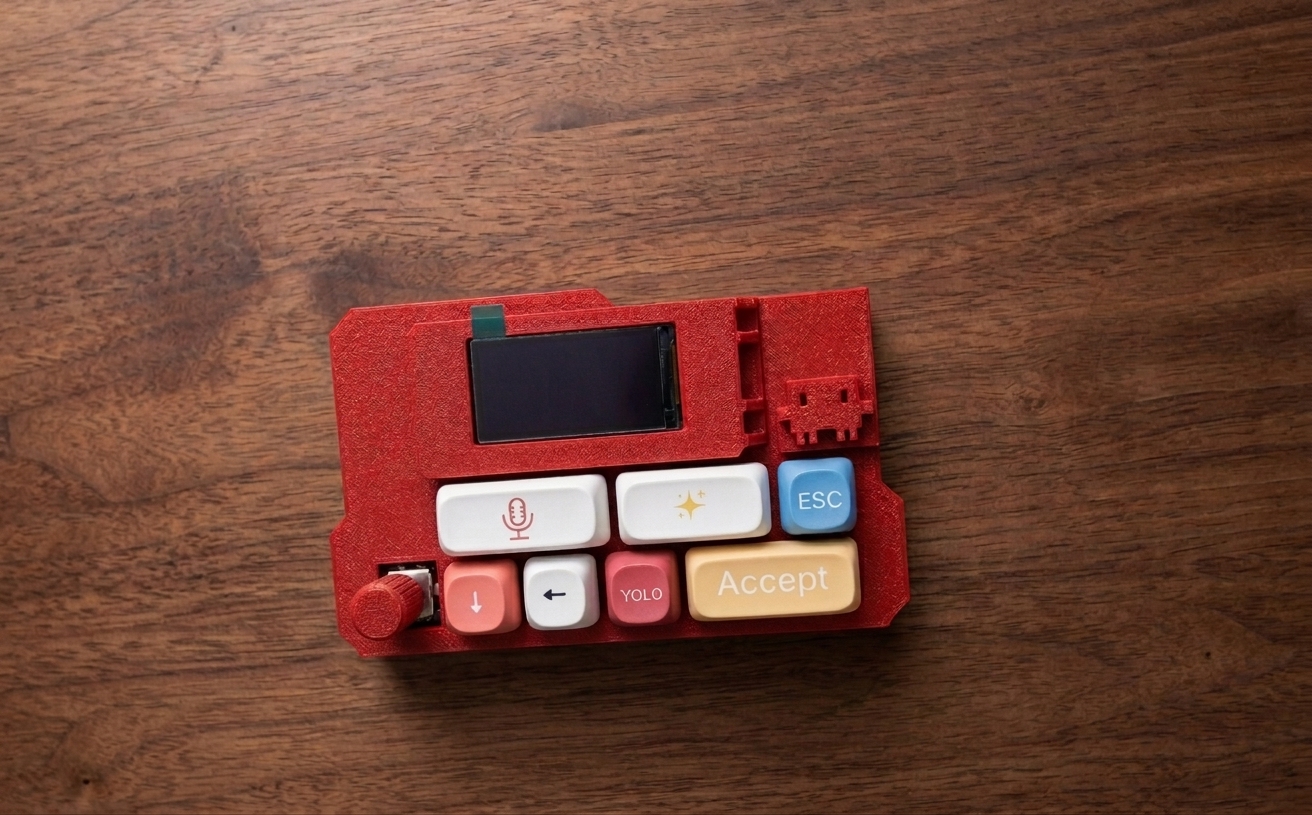
VibeKeys Max
AI Coding Needs a New Interface
Code from anywhere, whether you're at your desk or on the couch. One device, two distinct ways to work.
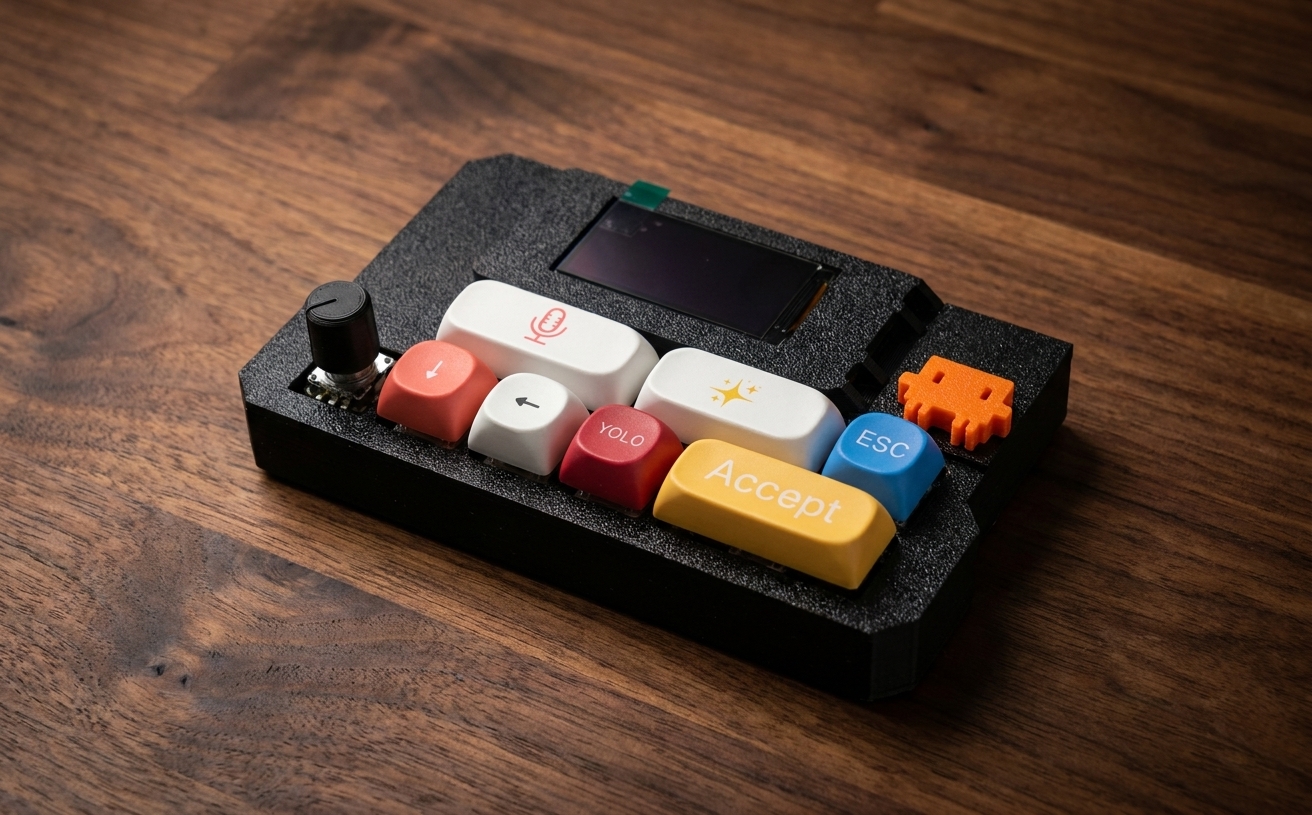
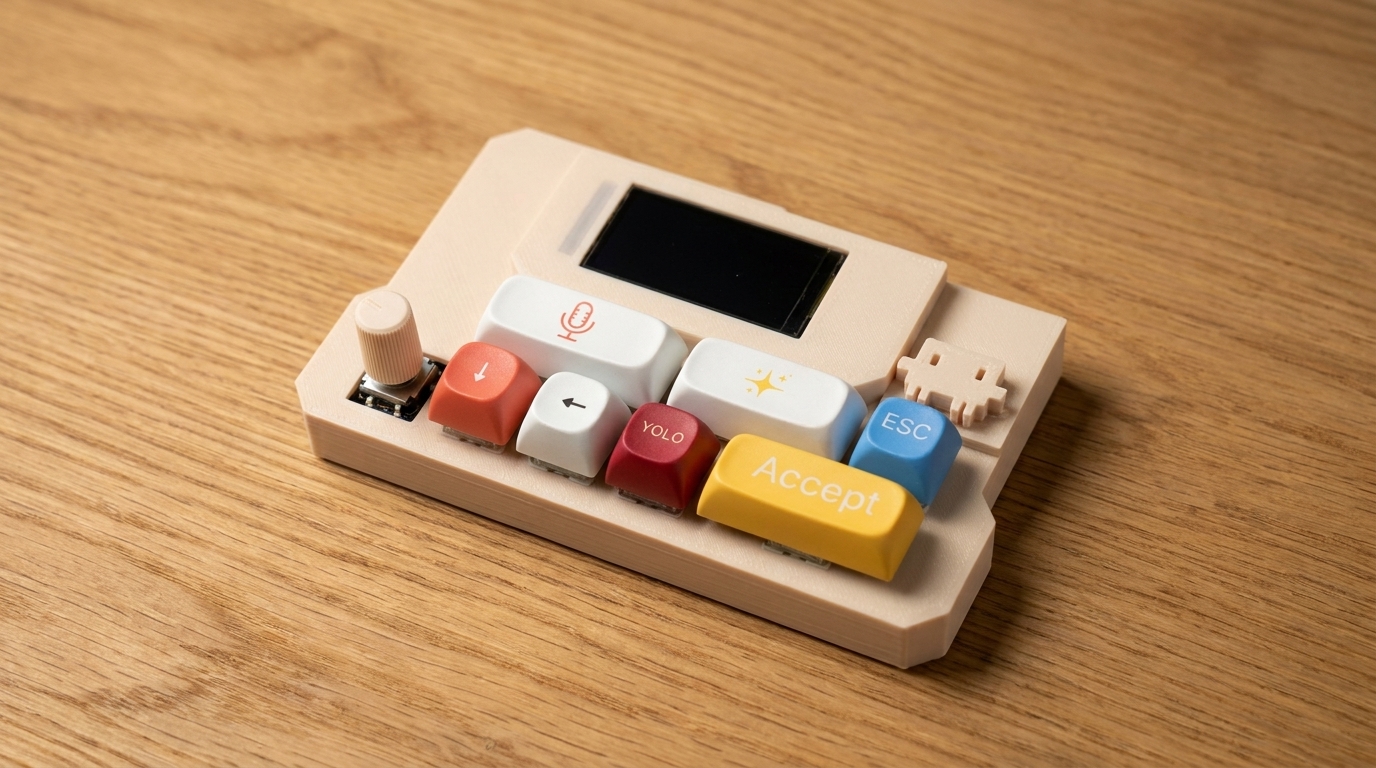
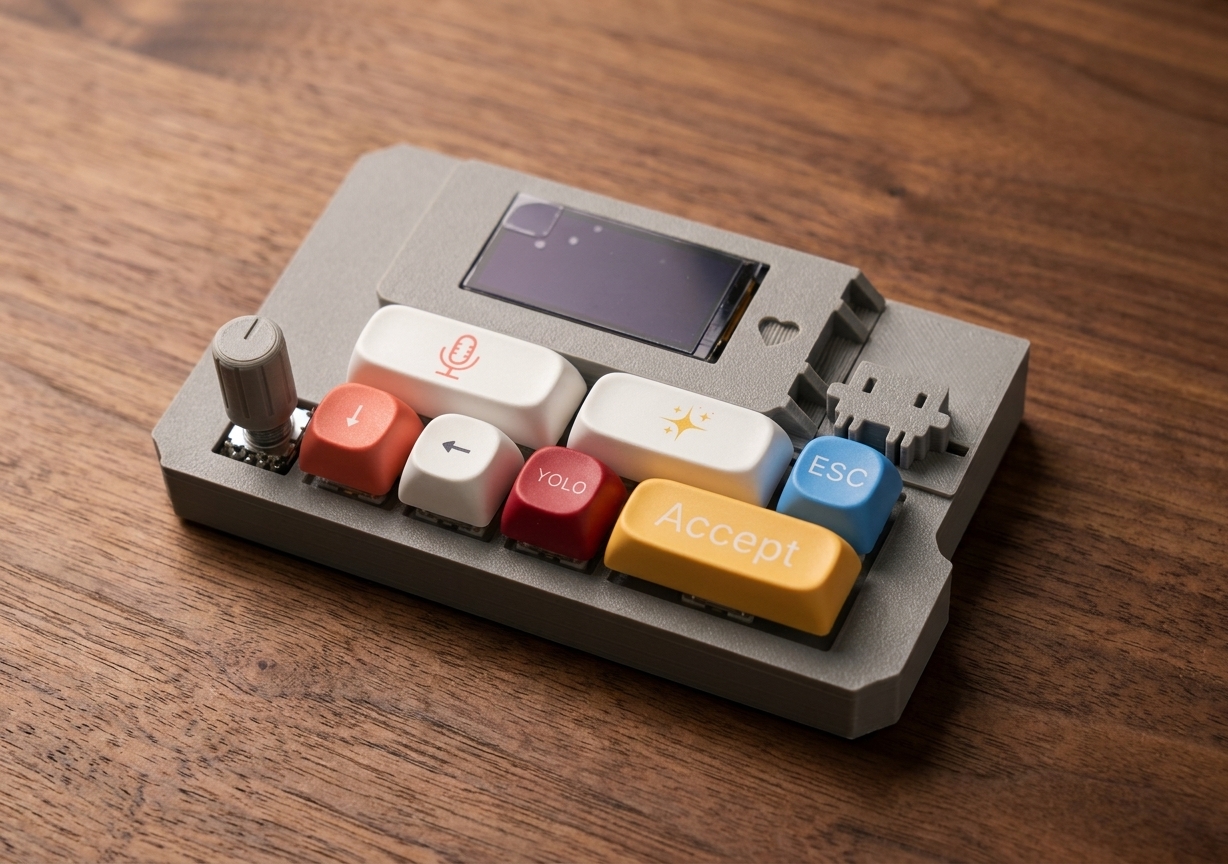
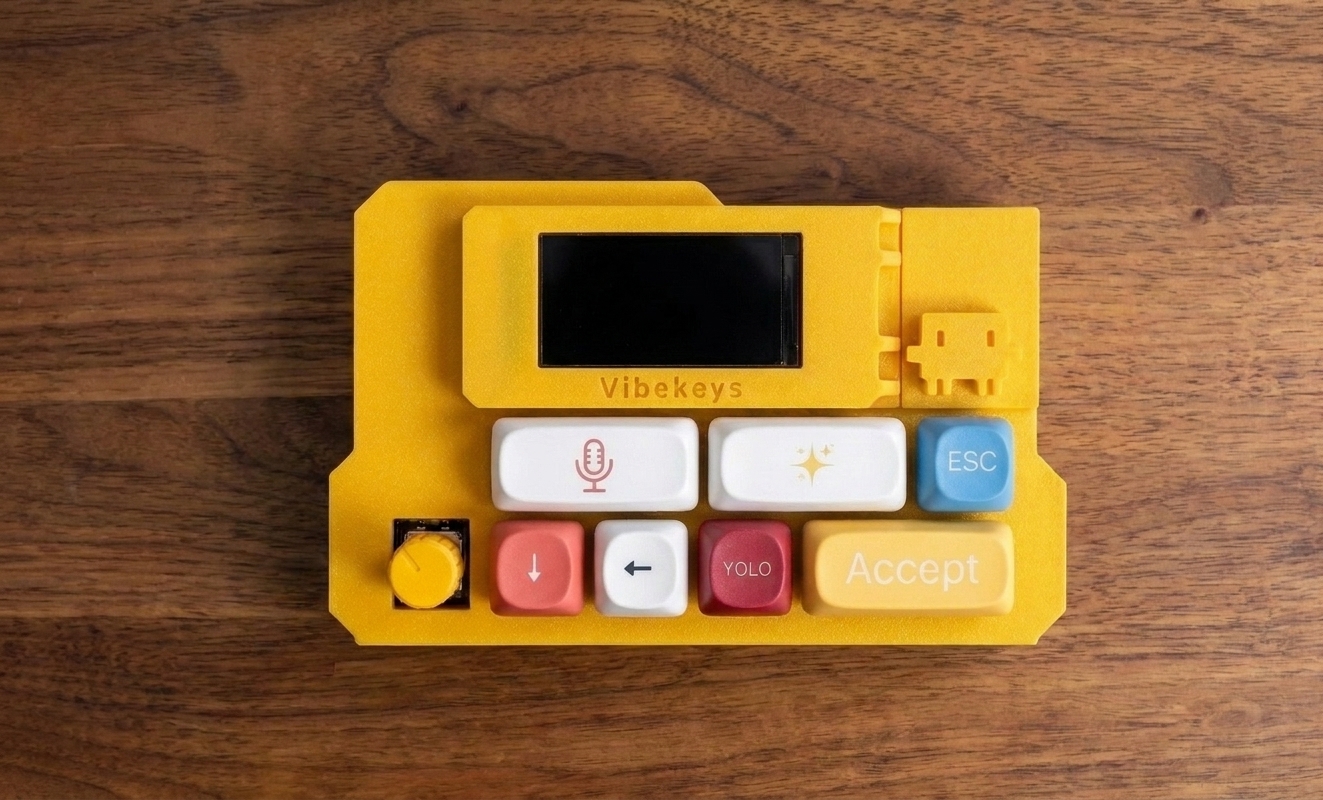
✨ Customize Your VibeKeys Max
Perfect Gift- 🎨 Choose your case color to personalize your device
- ✍️ Add custom text and we'll print your message
- 🎁 Great as a gift for developers who want something unique and useful
3D printed to order • Each unit is unique • Ships in 5 business days • Delivery in 10-16 days
guys I am ready to vibe code pic.twitter.com/placeholder
— Alex Svanevik 🐧 (@ASvanevik) April 24, 2026
Saw this cute keyboard in @gosimfoundation conference in Paris, from vibekeys @_honghanhh you should buy one
— Tien Ngoc (@tien__nv) May 6, 2026
what do you think? pic.twitter.com/placeholder
Pues ya estaría, ya soy Vibe Coder 🌍
— Fernando Tellado (@fernandot) May 2, 2026
https://t.co/placeholder
One Device. Two Ways to Code.
Switch seamlessly between a traditional desktop setup and AI-powered remote control.
Keyboard Mode
Use VibeKeys Max at your desk as a dedicated keyboard interface for vibe coding.
Trigger common actions like Accept, Retry, YOLO, ESC, or Voice with dedicated keys instead of typing commands.
At Your Desk: A physical interface for AI coding workflows.
Claude Code Remote Mode
Use VibeKeys Max as a remote voice interface for Claude Code.
The built-in microphone lets you trigger voice input and interact with AI coding tools from anywhere in the room.
Coding doesn't always happen at your desk.
From Anywhere: Keep the workflow going with voice.
Key Features
TFT Status Display
Real-time feedback on AI suggestions, build status, and mode indicators. See what Claude Code is doing at a glance.
Dual Connectivity
Bluetooth 5.0 and Wi-Fi support give you more flexibility, with easy switching between connection modes.
Voice Input
Trigger voice commands and dictate code with the built-in microphone.
3D Printed & Customizable
Choose your case color and add custom text. Each unit is 3D printed to order, so it feels personal from the start.
OTA Firmware Updates
Update firmware wirelessly over Wi‑Fi — no USB cable needed. Stay on the latest version in minutes.
Custom Key Mappings
Remap every key to any shortcut, modifier combo, or text macro with the VibeKeys CLI. Make it fit your workflow.
Hot-Swappable Switches
Ships with Kailh Blue clicky switches. Swap them out anytime — no soldering needed. Just pull and plug.
🛠️ Open Source & Community Driven
VibeKeys Max firmware and service are fully open source. One shared codebase powers both keyboard mode and Claude Code remote mode, so you can customize it, extend it, and contribute back.
Development Journey
Technical Specifications
| Connection | Bluetooth 5.0 + Wi-Fi wireless + USB-C wired |
| Display | TFT screen for real-time status |
| Microphone | Built-in microphone for voice input |
| Keys | Full Ergonomic Keyboard Layout + Rotary Knob |
| Switch Type | Kailh Blue Mechanical Switches (hot-swappable) |
| Wireless Range | Up to 10 meters over Bluetooth; Wi-Fi range depends on your network |
| Battery | Rechargeable lithium battery, up to 15 days standby |
| Dimensions | ~130 x 90 x 30 mm (5.1 x 3.5 x 1.2 in) |
| Weight | ~150 g (5.3 oz) |
| Platform Support | macOS, Windows, Linux |
| Firmware | Open source with OTA updates over Wi-Fi |
| Build | 3D printed case, Kailh Blue hot-swappable mechanical switches |
| In the Box | VibeKeys Max keypad, USB-C cable, quick start guide |
Frequently Asked Questions
Ready to Code from Anywhere?
✓ Each unit is 3D printed and assembled to order — ships in 5 business days · delivery in 10-16 days
🔒 Secure payment via Stripe • Free worldwide shipping