VibeKeys Max Now Works with Codex

OpenAI just announced a keyboard for Codex — physical controls for coding agents are clearly having a moment. Good timing: VibeKeys Max now works with Codex too, and the same keypad already handles Claude Code and whatever you reach for next.
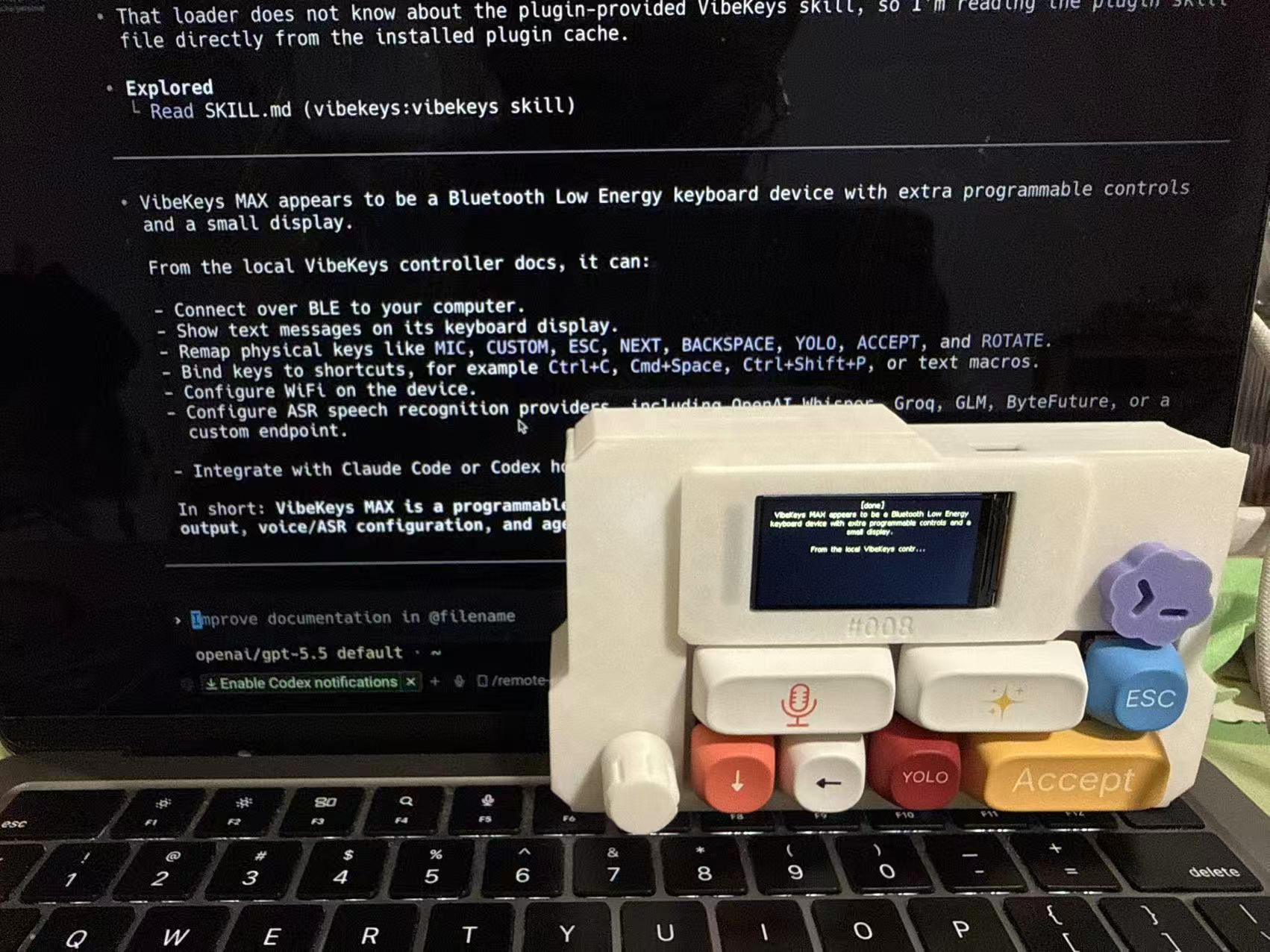
You know the loop: Codex proposes a change and waits, so you reach over and type y. Again. Again. Your sharpest coding tool, and you've turned into a human Enter key. Now y is a keycap you tap, /review is one press, and switching your keypad between Codex and Claude Code is a single command.
Set it up in keyboard mode
Grab the latest vibekeys CLI (profiles need v0.1.9+), pair VibeKeys Max over Bluetooth, and run one command:
$ vibekeys profile codex
✨ You're with Codex now
That's the whole setup. Now CUSTOM fires /review and YOLO sends y — tap to review, tap to approve, eyes on the diff and hands off the home row. Jump back to Claude Code and vibekeys profile claude puts the keys back. Only those two ever change; your mic, knob, and everything else stay put.
Want Codex's live status on the keypad screen too? Install the plugin — Codex Status Integration.
Or run it wireless
Prefer to drive Codex from the couch? VibeKeys Max talks to your machine over Wi-Fi through vibetty:
vibetty -- codex
Pair the device at vibekeys.dev/setup.html and steer the whole session — approve, scroll, speak — from across the room. Full steps: Remote Control Mode.
Why Codex, specifically
Codex runs the same loop all day: prompt, review, approve, repeat. Those repeats are exactly what a dedicated key is for. Profiles just make sure each key means the right thing for the tool you're in — so one keypad covers Codex and Claude Code, with no remapping by hand.
Already have a VibeKeys Max? Update the CLI to v0.1.9+ and run vibekeys profile codex. If you don't, grab one.