The physical keyboard built for Claude Code.
Speak your prompt into the built-in mic. Approve a diff or a plan with one key. Watch Claude's status on the screen. Run the entire Claude Code loop — prompt, review, accept — without touching your keyboard.
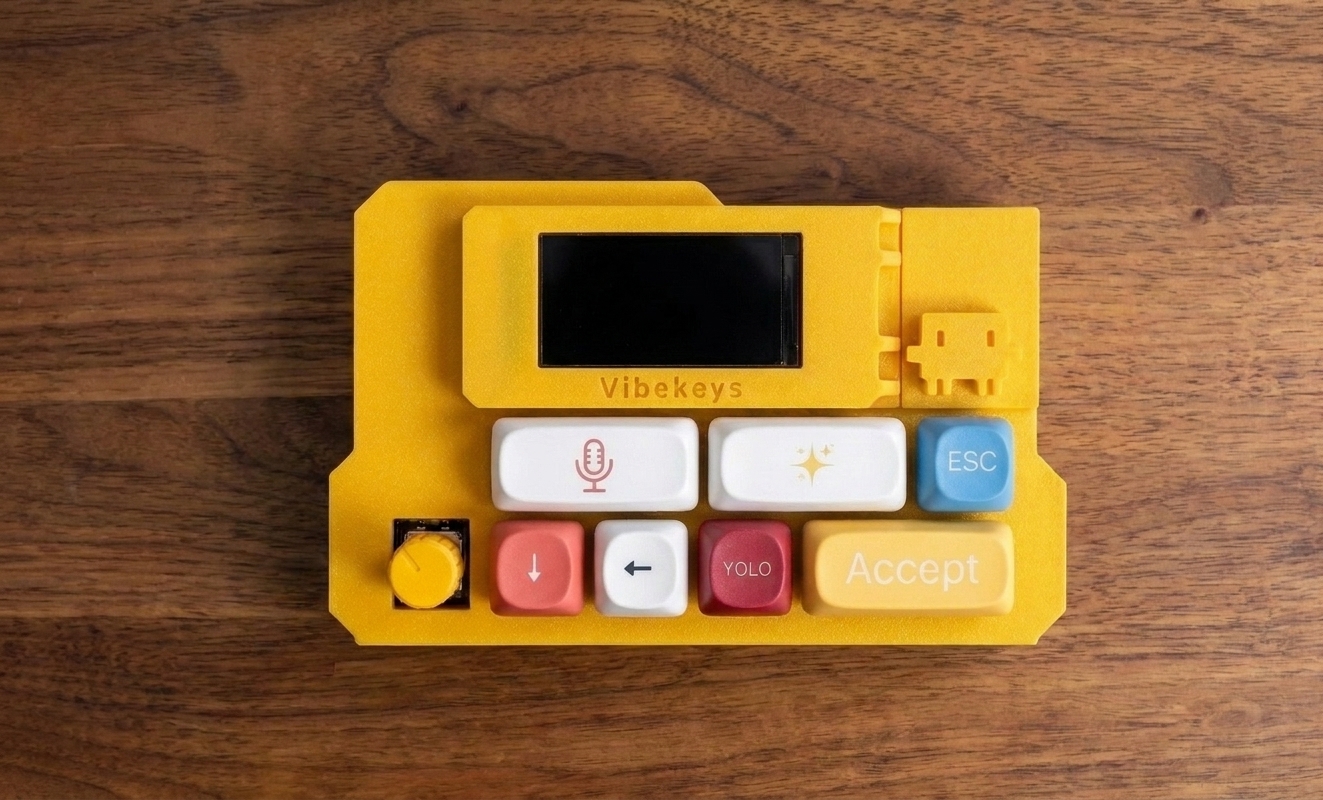
Watch VibeKeys Max drive Claude Code.
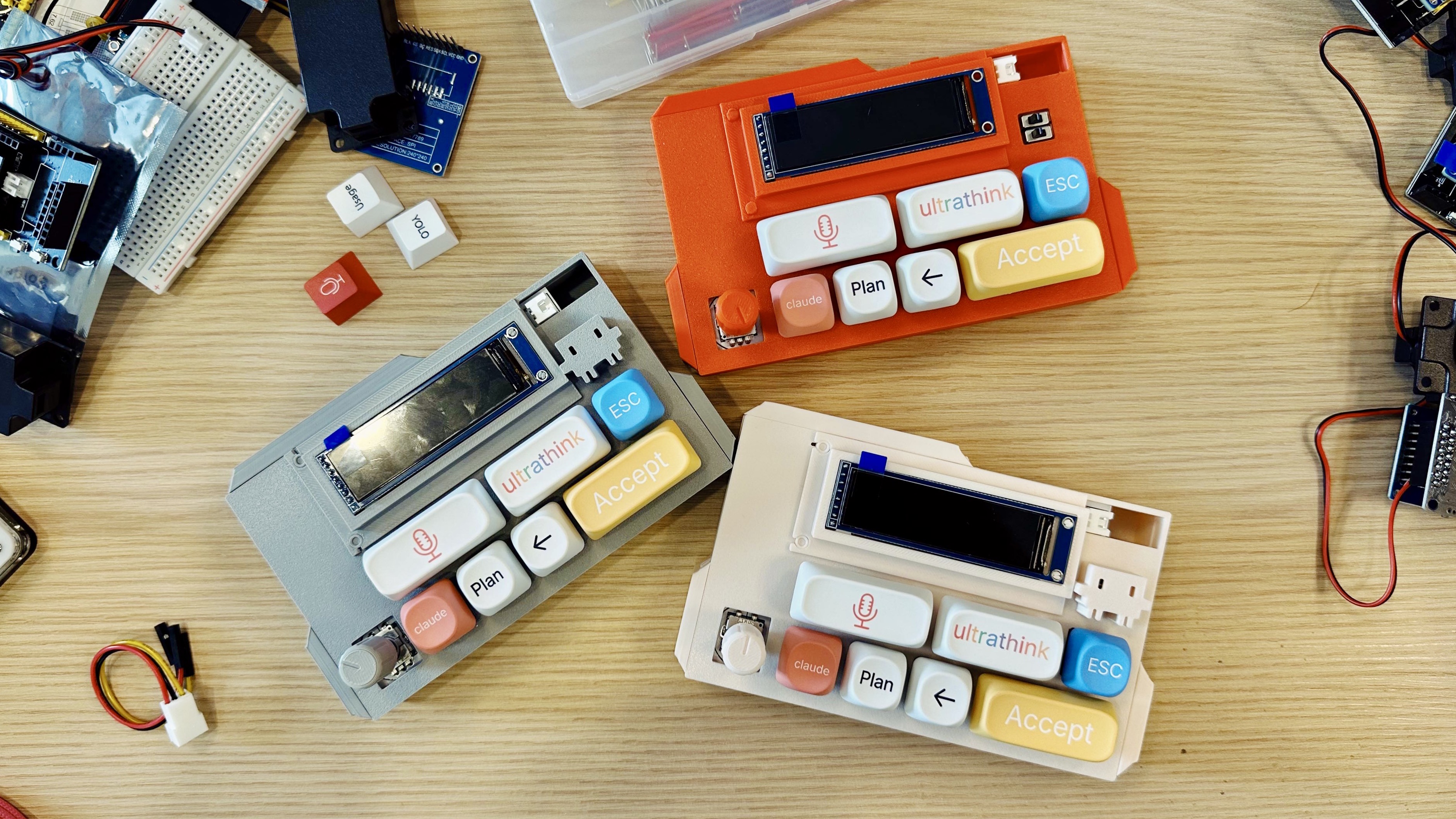
Every Claude Code session is the same loop. VibeKeys gives it a control surface.
Prompt, wait, review the diff, accept or interrupt — repeat. That loop runs hundreds of times a day. VibeKeys puts each step under a dedicated key, your voice, and a knob, so you stop hunting for shortcuts and stay in flow.
One key to approve a diff
When Claude Code asks to make an edit or run a command, confirm it with a dedicated Accept key — not a memorized combo.
Speak the prompt, don't type it
Press Voice and talk through the bug or refactor. Your speech is transcribed and dropped straight into Claude Code's prompt.
Know what Claude is doing
The Max screen shows Claude Code's live status and current mode, so you're not staring at the terminal waiting.
Step through Claude's options
When Claude Code offers choices, use the Claude key to move between them and Accept to commit — all from the device.
Run Claude Code by voice, from across the room.
VibeKeys Max talks to your computer over Wi-Fi through vibetty, the open-source bridge. From unboxed to vibe coding in four steps.
VIBECODE_ASR_* keys (Groq + Whisper), or run offline with Vosk — no API key needed.vibetty -- claude on your computer. It launches Claude Code and serves the bridge on port 3000.ws://YOUR_IP:3000/ws.# 1 · Set your speech-to-text service (Groq / Whisper) export VIBECODE_ASR_API_KEY=... export VIBECODE_ASR_URL=https://api.groq.com/openai/v1/audio/transcriptions # 2 · Start Claude Code with the VibeKeys bridge vibetty -- claude # Serves on port 3000. Pair at vibekeys.dev/setup.html
One key for every action you repeat in Claude Code.
Not more keys for the sake of it — a physical interface mapped to the exact moves that fill every Claude Code session.
Speak the prompt
Describe the change out loud instead of typing it. The built-in mic captures it and feeds the text into Claude Code.
Approve the edit
Confirm Claude Code's diff or command and keep the loop moving without breaking flow.
Step through choices
Move between the options Claude Code offers and commit one with Accept.
Interrupt Claude
Stop Claude Code mid-run or drop the pending input the moment you want to steer.
Scroll the output
Move through Claude Code's long responses, plans, and diffs with tactile precision.
Read Claude's state
The Max screen shows Claude Code's live status and current mode at a glance.
One device for the whole Claude Code loop.
No tiers to weigh up. VibeKeys Max is the full Claude Code console: a built-in mic for voice, a status screen that mirrors Claude Code, remote control over Wi-Fi, and open-source firmware — $99.
Common questions about using VibeKeys with Claude Code.
Does VibeKeys work with Claude Code?
Yes. VibeKeys is built around the Claude Code workflow. VibeKeys Max runs in remote control mode through the open-source vibetty bridge (vibetty -- claude), so you can speak prompts, accept changes, cycle Claude's choices, and scroll output from the device.
Can I use voice input with Claude Code?
Yes. VibeKeys Max has a built-in microphone. You press Voice and speak; your speech is transcribed (via Whisper, or an offline in-browser engine with no API key) and sent into Claude Code when you press Accept.
Does VibeKeys show Claude Code's status?
Yes. The VibeKeys Max status screen shows what Claude Code is doing and which mode it's in, so you can stay in sync without watching the terminal.
Do I need to replace my keyboard?
No. VibeKeys sits next to your main keyboard and handles the repeated Claude Code controls that shouldn't be buried in shortcuts.
Which VibeKeys do I need for Claude Code?
VibeKeys Max. It's the full Claude Code console: a built-in mic for voice, a status screen, and remote control mode. See the remote control mode guide to set it up.
Give Claude Code a physical interface.
Speak your prompts, approve edits with one key, and watch Claude Code work — all from a console built for the loop. Read the remote control mode guide to see the full setup.