The physical keyboard built for Codex.
Run a code review with one key. Approve with one key. Speak your prompt into the built-in mic and watch Codex's status on the screen. VibeKeys puts the moves you repeat all day under real, tactile keys.
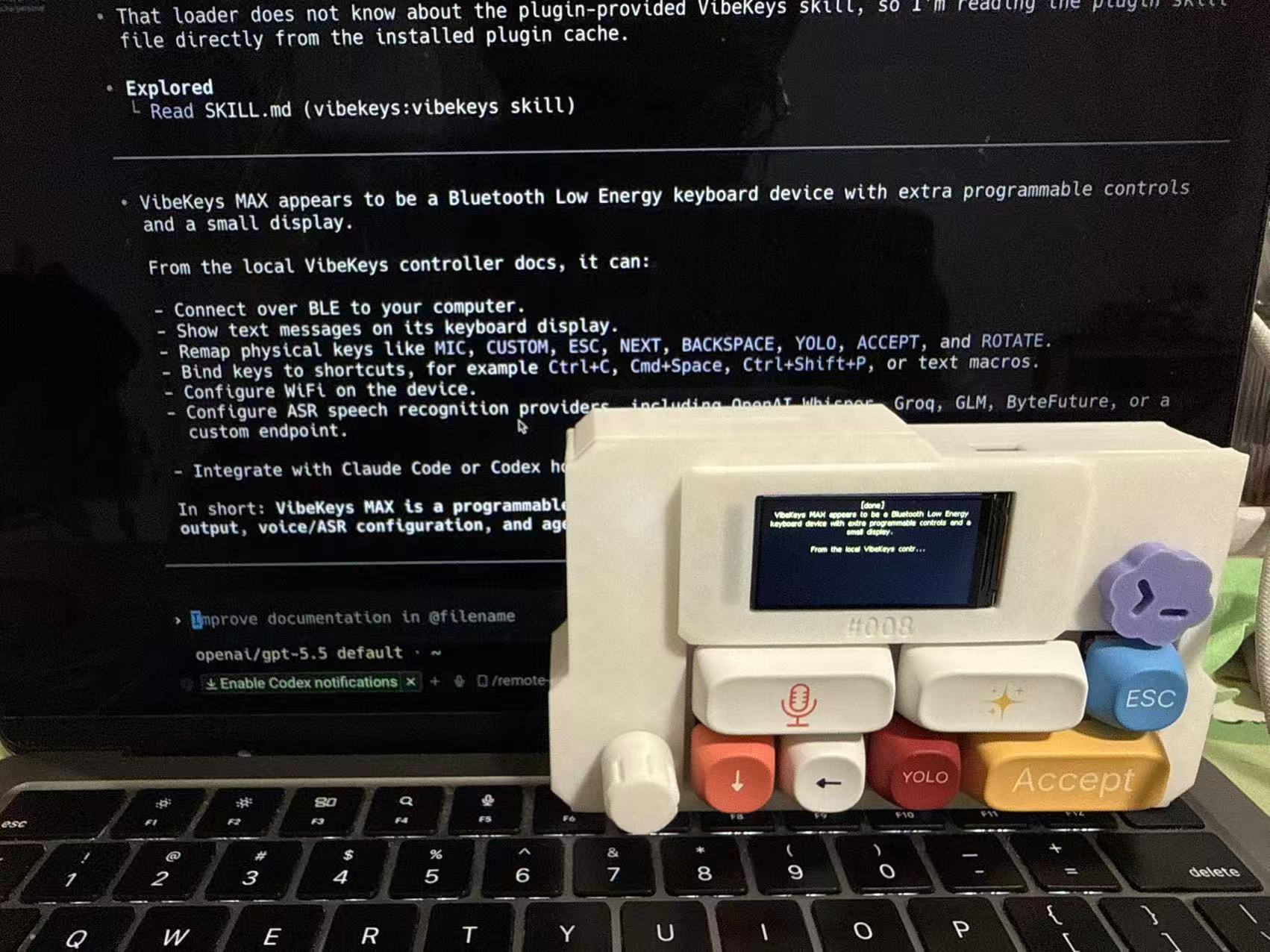
Every Codex session is the same loop. VibeKeys gives it a control surface.
Prompt, wait, review the change, approve or steer — repeat. That loop runs hundreds of times a day. VibeKeys puts each step under a dedicated key, your voice, and a knob, so you stop reaching for shortcuts and stay in flow.
Run /review
Fire a one-key Codex code review. The custom key sends /review and Enter for you.
Approve
Send y to approve Codex's pending command or change and keep moving.
Speak the prompt
Describe the change out loud instead of typing it. The built-in mic captures it and feeds the text in.
Interrupt
Stop Codex mid-run or drop the pending input the moment you want to steer.
Scroll the output
Move through Codex's long responses, plans, and diffs with tactile precision.
Read Codex's state
The Max screen shows Codex's live session status at a glance.
Set your keypad up for Codex — in one command.
A profile is a preset you apply with a single command. vibekeys profile codex maps the keys to the Codex moves; vibekeys profile claude switches back. Both touch only two keys, so it's a clean round-trip — nothing else moves.
vibekeys profile codex. The custom key becomes /review and YOLO becomes y (approve).vibekeys profile claude restores those two keys. Switch as often as you like.# Set the keypad up for Codex $ vibekeys profile codex ✨ You're with Codex now # Switch back to Claude Code $ vibekeys profile claude ✨ You're with Claude Code now
Drive Codex from across the room.
VibeKeys Max talks to your computer over Wi-Fi through vibetty, the open-source bridge. It wraps any terminal program — including Codex — so you can run and steer a whole session wirelessly, from the couch or a standing desk.
VIBECODE_ASR_* keys (Groq + Whisper), or run offline with Vosk — no API key needed.vibetty -- codex on your computer. It launches Codex and serves the bridge on port 3000.ws://YOUR_IP:3000/ws.# 1 · Set up speech-to-text (Groq / Whisper) export VIBECODE_ASR_API_KEY=... export VIBECODE_ASR_URL=https://api.groq.com/... # 2 · Start Codex with the bridge vibetty -- codex # Port 3000 · pair at vibekeys.dev/setup.html
One device for the whole Codex loop.
VibeKeys Max is the full console: a built-in mic for voice, a status screen that mirrors your agent, remote control over Wi-Fi, and open-source firmware. It works with Codex, Claude Code and the rest of your tools.
Common questions about using VibeKeys with Codex.
Does VibeKeys work with OpenAI Codex?
Yes. Run vibekeys profile codex and the keypad is set up for Codex: the custom key fires /review for a one-key code review, and the YOLO key sends y to approve. VibeKeys works alongside your main keyboard.
Can I switch between Codex and Claude Code?
Yes, in one command. vibekeys profile codex sets the keypad up for Codex; vibekeys profile claude switches it back. Both profiles change only two keys, so switching is a clean round-trip and no other keys move.
Can I use voice input with Codex?
Yes. VibeKeys Max has a built-in microphone. Press the mic key and speak; your speech is transcribed and dropped into your prompt, so you can describe a change instead of typing it.
Does VibeKeys show Codex's status?
Yes. With the VibeKeys plugin installed, Codex session events are pushed to the Max status screen, so you can see what Codex is doing without watching the terminal.
Which AI coding tools does VibeKeys work with?
VibeKeys is tool-agnostic — Codex, Claude Code, Cursor, Gemini CLI, OpenCode, Copilot and more. One keypad for the tools you already use.
Do I need to replace my keyboard?
No. VibeKeys sits next to your main keyboard and handles the repeated Codex controls — review, approve, voice — that shouldn't be buried in shortcuts.
Can I remap the keys?
Yes. The firmware is open source and the keys are remappable. Profiles like codex and claude are just presets applied with one command; you can bind any key to the action you use most.
Give Codex a physical interface.
One key for /review, one key to approve, your voice for the prompt — and one command to switch between Codex and Claude Code. Read the command reference to set it up.