Claude Code Status Integration
Display real-time status from Claude Code directly on your VibeKeys Max screen while in keyboard mode.
When enabled, your VibeKeys Max screen will show live updates from Claude Code, letting you see what Claude is working on without looking at your monitor.
What You'll Need
Prerequisites
- VibeKeys Max connected in keyboard mode
- Claude Code installed and running
- vibekeys CLI tool
- vibekeys plugin installed in Claude Code
- A terminal running Claude Code with access to your computer's Bluetooth
Step 1: Install VibeKeys CLI
The vibekeys CLI is the bridge between Claude Code and your VibeKeys Max device.
macOS with M chip
curl -LO https://github.com/second-state/vibekeys_app/releases/latest/download/vibekeys-macos-arm64
chmod +x vibekeys-macos-arm64
sudo mv vibekeys-macos-arm64 /usr/local/bin/vibekeys
Windows
Invoke-WebRequest -Uri "https://github.com/second-state/vibekeys_app/releases/latest/download/vibekeys-windows-x64.exe" -OutFile "vibekeys.exe"
# Add to PATH or move to a directory in PATH
Linux
wget https://github.com/second-state/vibekeys_app/releases/latest/download/vibekeys-linux-x64
chmod +x vibekeys-linux-x64
sudo mv vibekeys-linux-x64 /usr/local/bin/vibekeys
After installation, verify:
vibekeys --version
Step 2: Install the VibeKeys Plugin in Claude Code
- Open Claude Code
- run the following command to add the plugin
claude plugin marketplace add second-state/marketplace
claude plugin install vibekeys@second-state-tools
- Once the plugin is installed successfully, you can use
/vibekeysto verify the installation.
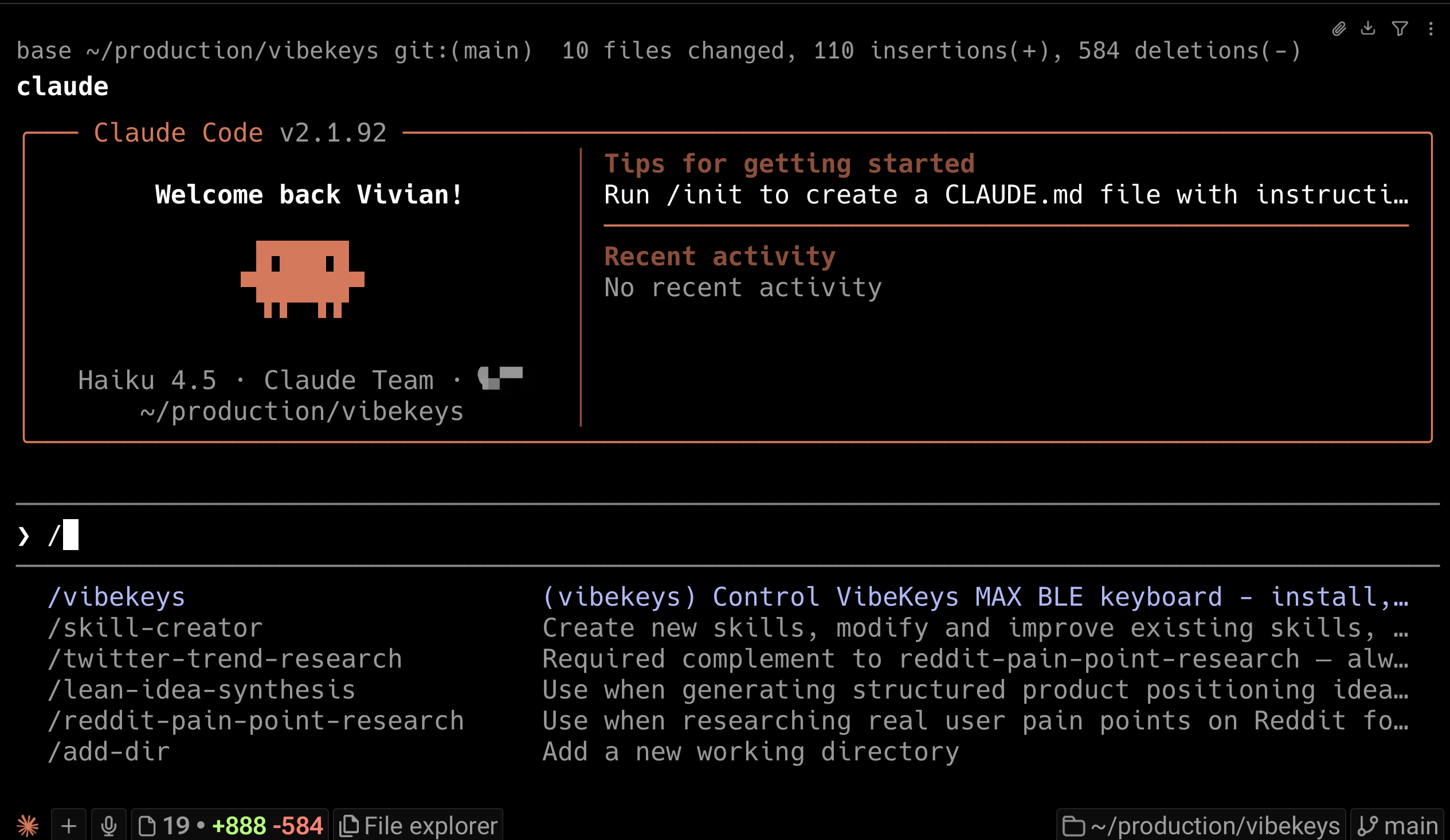
Then you can send the following command in Claude Code to see if the plugin is loaded successfully.
./vibekeys sends Hello World
If everything goes well, you will see "Hello World" in your VibeKeys Max screen.
Step 3: Start Coding
Once the test succeeds, your VibeKeys Max screen will automatically display status updates when you use Claude Code:
- Current Claude Code operation (generating, thinking, planning, etc.)
- User query
- Whether Claude's work is finished
- Waiting for your input
The screen updates automatically as Claude Code works, no additional configuration needed.
Related docs
- Keyboard Mode - Getting started in keyboard mode
- Customize Key Mappings - Remap keys to fit your workflow
- Quick Start - VibeKeys Max overview
- Buttons And Keys - Device controls reference
- Updating Firmware - Keep your device up to date via OTA or USB