
6 posts tagged with "vibe-coding"

View All Tags

Codex Micro Alternative: Is VibeKeys the Better AI Coding Keypad?

· 9 min read
VibeKeys Team
VibeKeys Team

Looking for a Codex Micro alternative usually means asking a practical question: do you need a deeply layered Codex controller, or a keypad that fits the way you use AI coding tools every day? VibeKeys starts at $29, works with Codex and several other tools, and includes a dedicated voice-input key. Choose the Max model and you also get live Codex status and remote control when you step away from the keyboard.

The short version: Codex Micro is built for people who want to shape detailed controls around Codex. VibeKeys is the more flexible buy if you care about price, voice input, multiple AI tools, or keeping an eye on an agent from across the room.

What to Look for in a Codex Micro Alternative

Start with the actions you repeat, not the number of keys on the desk. A useful control device should remove small interruptions from AI-assisted development without locking you into a workflow you may outgrow. Four questions quickly narrow the choice:

  • Agent compatibility: Can the keypad move between coding tools, or is it designed around one ecosystem?
  • Everyday controls: Does it make approval, review, navigation, and voice prompting easier?
  • Status awareness: Can you tell when an agent is working, finished, or waiting for input?
  • Total cost and setup: Does the extra hardware capability justify the price and configuration effort?

A device can offer plenty of inputs and still feel awkward if you switch agents often or leave long tasks running while you move around. The right choice is the one that shortens your actual loop.

What Is Codex Micro?
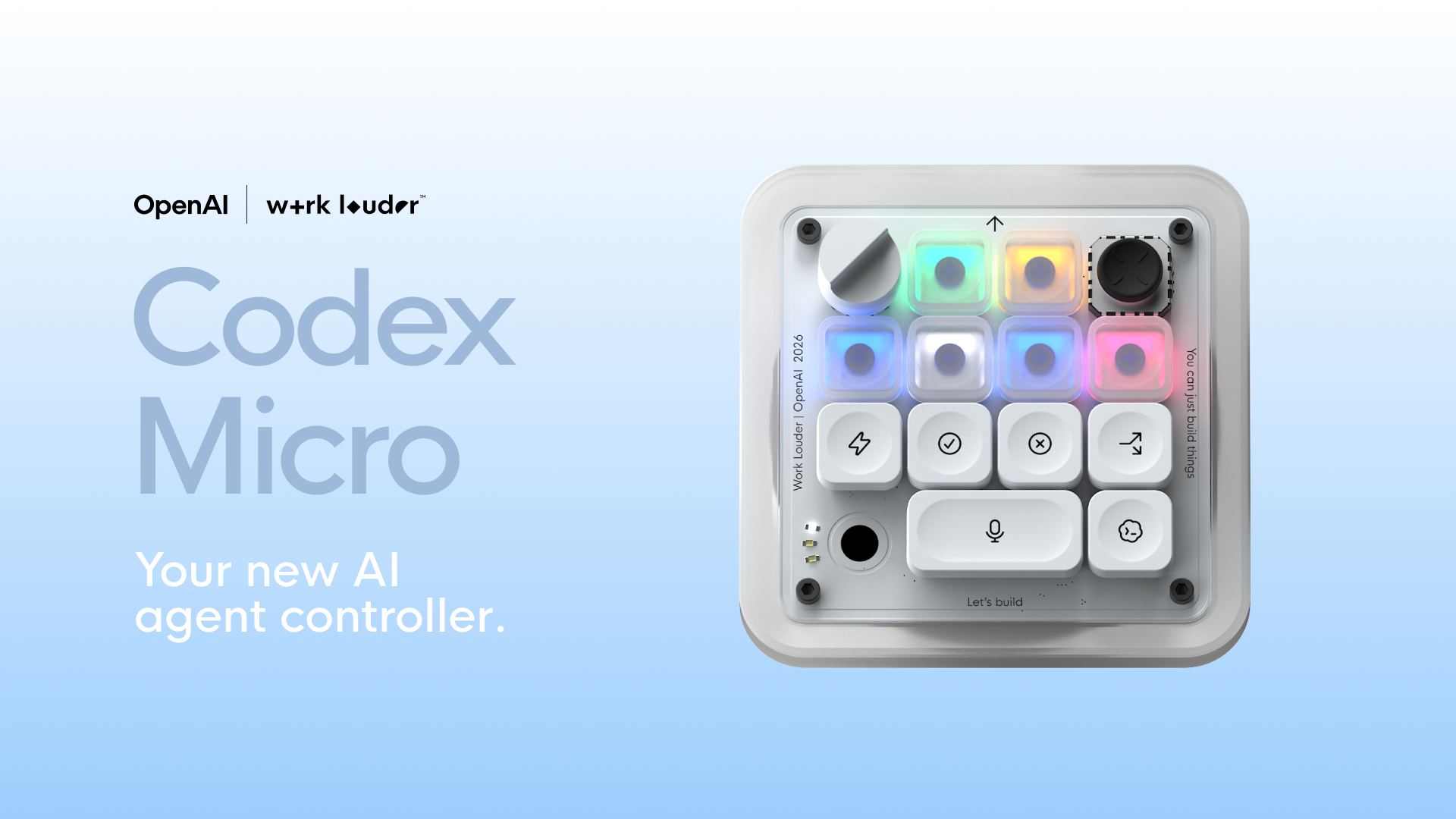
Codex Micro desktop controller for AI agents

Codex Micro is a $230 programmable desktop control device from Work Louder, configured around OpenAI Codex workflows. Configuration runs through the company's Input software, which supports custom actions, multiple control layers, and software-linked layers that can switch when a selected application is in focus.

Codex Micro makes sense for someone who enjoys building a detailed control scheme around Codex. VibeKeys starts from a different place: put the common actions within easy reach, add voice and visible status, and keep the same hardware useful when the software changes.

What Is a Vibe Coding Keyboard?

· 6 min read
VibeKeys Team
VibeKeys Team

A vibe coding keyboard is a physical keyboard, keypad, or control surface designed for AI-assisted coding workflows. Instead of treating Claude Code, Cursor, Codex, Gemini CLI, OpenCode, and other coding agents like normal software apps, it gives the agent loop its own dedicated controls.

The idea is simple: when a developer works with an AI coding agent such as Claude Code or Codex, a small set of actions happens again and again. Accept a change. Reject an answer. Retry a prompt. Continue a task. Compact the context. Scroll through a long diff. Toggle voice input. Switch modes. A vibe coding keyboard puts those actions under physical keys, knobs, and sometimes a status screen.

Everyone's AI Imagined a Vibe Coding Keyboard. We Actually Built One.

· 6 min read
VibeKeys Team
VibeKeys Team

Open X on any given week in 2026 and you'll see it: another stunning render of "the vibe coding keyboard." A physical keypad with Allow Once, Always Allow, and Reject keys. A little status screen showing what your agent is doing. A YOLO button. Maybe a knob to switch models.

They're beautiful. They rack up thousands of likes. And almost every one of them is a concept render — something that looks incredible in a screenshot but that you can't actually order.

We kept seeing them, and honestly, we love them. We also kept thinking the same thing: someone should actually build this. So we did.

VibeKeys Pro vs Plus vs Max: Which One Is Right for You?

· 5 min read
VibeKeys Team
VibeKeys Team

AI coding tools like Claude Code, Cursor, and Copilot have changed how developers work — but the interface hasn't caught up. You're still reaching for keyboard shortcuts, typing slash commands, and context-switching between your editor and terminal. VibeKeys gives you dedicated physical controls for the actions you repeat hundreds of times a day: accept, reject, retry, voice input, and more.

We make three models — Pro, Plus, and Max — each designed for a different setup and budget. This post breaks down what sets them apart so you can pick the right one.