Stop Babysitting Your Terminal: Introducing VibeBuddy

Order VibeBuddy → In stock, ships within 3 business days, with free worldwide shipping.
"Having more than one thread open at the same time is the ultimate LARP." -- Theo, t3.gg
Researchers have indicated that an engineer can only supervise 3-5 agents at the same time before quality drops. On top of that, it takes an average of 23 minutes for a human to go back to an interrupted task. Imagine that you have three agents running: Claude Code refactoring one project, Codex writing tests in another, and a CI run you started ten minutes ago. Each of them will stop at some point and wait for you. But you keep missing them.
Human in the loop only works if the human notices. Desktop notifications get buried under whatever you are actually looking at. Phone notifications land between forty other pings and get swiped away with them. The agent sits idle, the task sits unfinished, and the time you saved by running three things at once turns into time when nothing was running at all.
VibeBuddy is a small box that sits on your desk and watches all your agents for you, so you can stop babysitting the terminal.
NOTE (updated November 11, 2026): It supports macOS, Linux (tested on Omarchy) and, since VibeBuddy 0.6.2, Windows 10 and 11 (x86_64). The setup guide shows how to install it.
Meet VibeBuddy
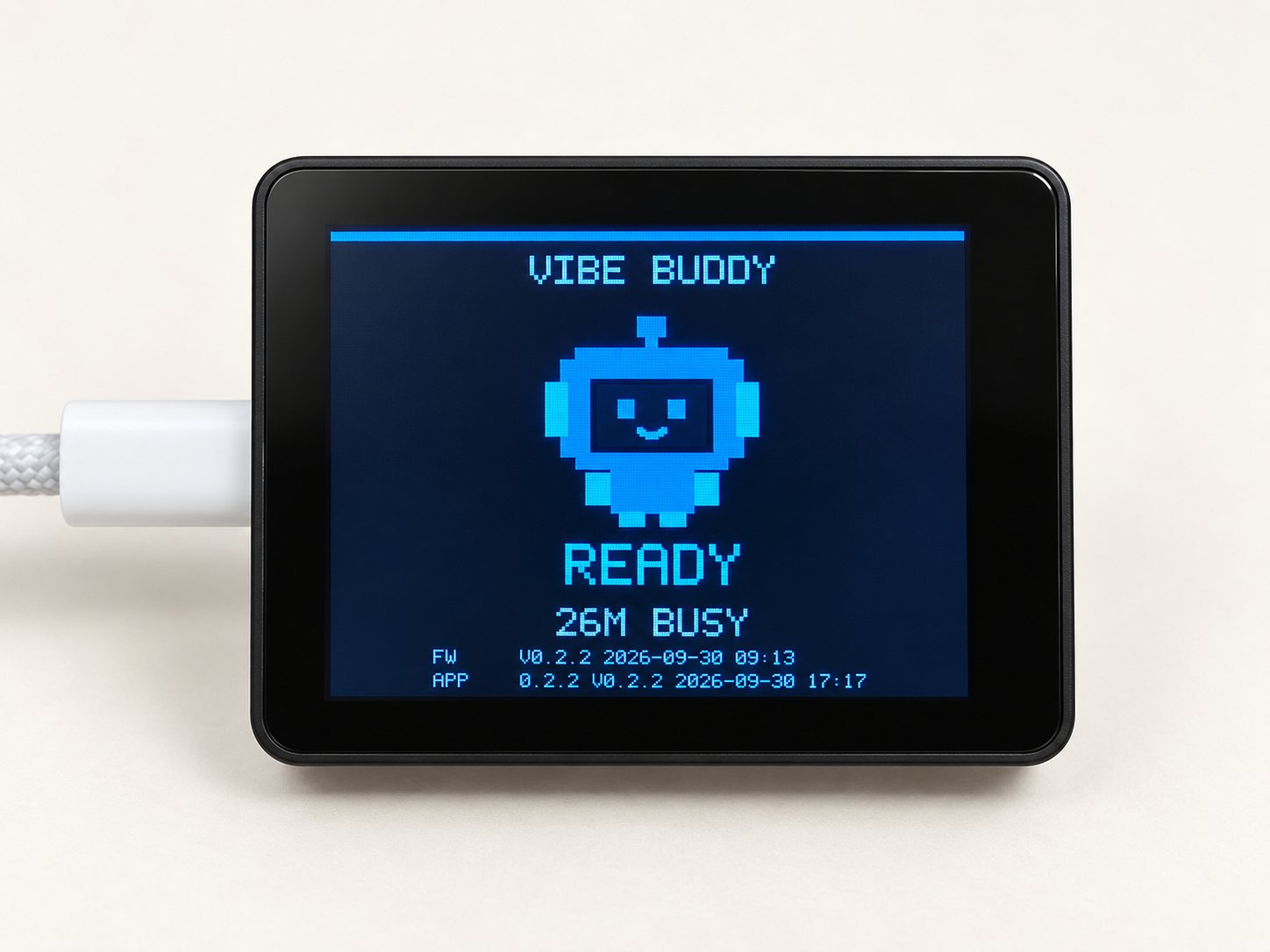
VibeBuddy keeps an eye on Claude Code, Codex and your GitHub Actions runs. When an agent needs you, it tells you with an animation, a task card and one short spoken line.
In action
Here is the loop VibeBuddy is built around.
You start a task. A card appears on its screen with the agent type (CC for Claude Code, CX for Codex), followed by the session name.
The agent needs you. It wants to run a command, or it has a question. The card switches to Input required and VibeBuddy says it out aloud. Press K2 button on top the device. The agent that required attention would come to the front. You answer, and it carries on.
The task finishes. You hear a voice notification. The device screen shows Done and how long the task took.
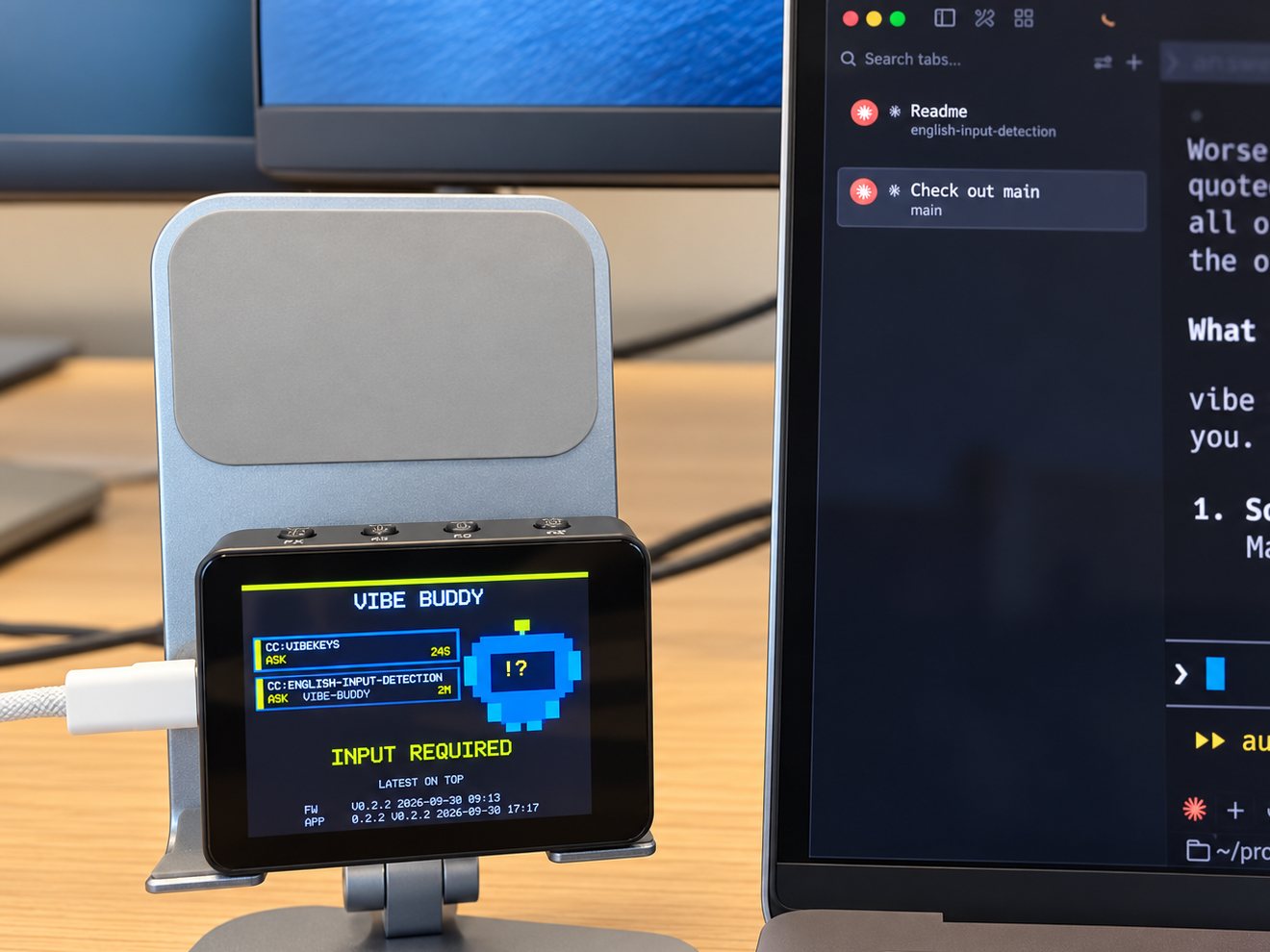
That's the whole idea: your agent comes to you when it needs you in the loop.

Every agent on one screen
Most of us don't run just one agent anymore. VibeBuddy shows up to three task cards, newest on top: Claude Code, Codex and GitHub Actions side by side, each with how long it has been in its current session.
There is nothing to set up, beyond running the VibeBuddy application on your computer. It hooks into Claude Code and Codex, and watches the the gh CLI log for GitHub Actions.
Besides Claude Code and Codex, we're already working on more coding and personal agents. In the meantime, you can vibe your own script to put a card on the device screen by making an HTTP request (see Open source below).

VibeBuddy is quiet by design. It is never verbose. A long press on the K2 button at the top mutes it.
More than notifications
When there's nothing to watch, VibeBuddy is still useful.
Pomodoro. Press K1 at the top of the device and it becomes a focus timer for humans.

Today's stats. Between tasks, the device screen shows what got done today. If you leave it idle for a long time, VibeBuddy could wander off to play, doze, and turn its screen off. Any agent activity brings it straight back.
Pick a character. Choose who the buddy is: Amanda, Jackson, Wanwan Xiaohe, Ahu or the original robot, each with its own voice and lines, in English or Chinese. You can also adjust the volume right on the box.
Better with VibeKeys
VibeBuddy pairs with a VibeKeys keypad.
VibeBuddy watches all agents, and notifies you the moment one needs you. Press K2 to bring that agent to the front. Then VibeKeys takes over: Accept, Reject, Retry or Undo. Or use the Voice key to speak to your agent prompt.
Easy setup
- Install and open the VibeBuddy app on your Mac or Linux Desktop.
- Plug the box in with the included USB-C cable.
- Click Connect next to Claude Code and Codex, then Write to confirm.
- Open Claude Code or Codex and give it a task.
- Once installed and running, VibeBuddy is a menu bar icon. You can click on it and bring back the Settings UI.
The Claude Code and Codex hooks only forward session IDs, event names and the working directory, never your prompts, replies or code.
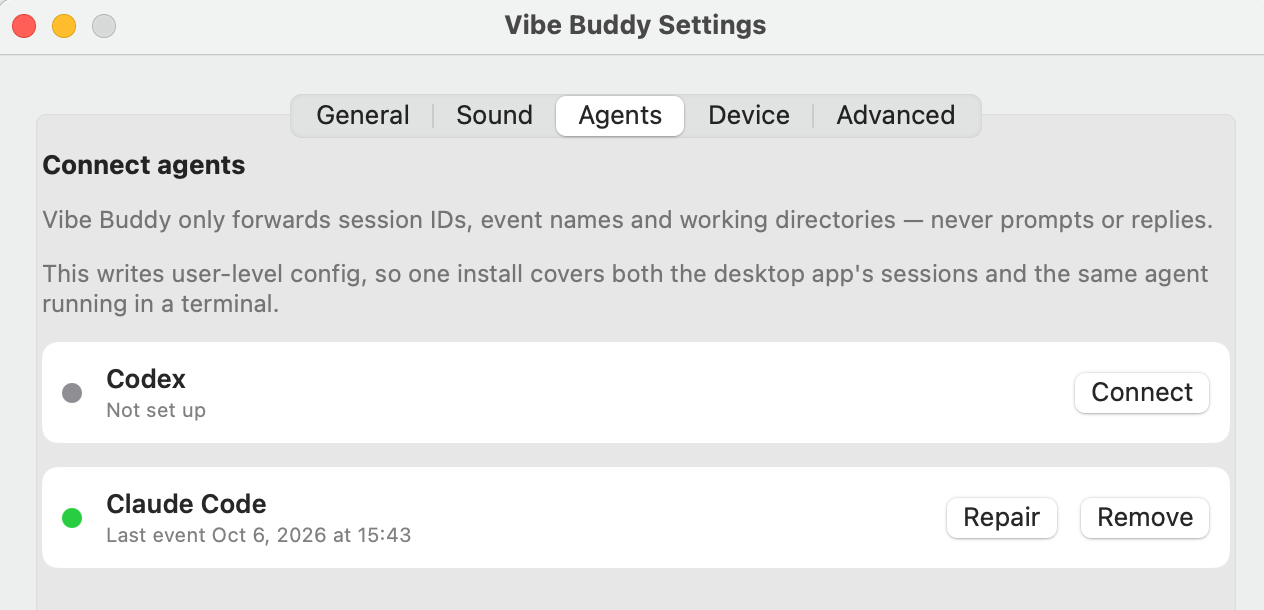
The setup guide walks through each step, and helps with troubleshooting.
Open source
VibeBuddy's software is open source under GPL3. The entire stack, including ESP32 Rust firmware, the daemon, the hooks, the Mac and Linux apps, and the communication protocol, are all published on GitHub. The protocol isn't tied to any one agent: with the app running, anything that can make an HTTP request can put a card on the box:
curl -H 'content-type: application/json' \
  --data '{"version":1,"event":"task.done","title":"Hello"}' \
  http://127.0.0.1:7331/v1/events
If you'd rather build your own, the hardware notes and firmware are in the repo. If you'd rather not, we sell it assembled, flashed and tested.
Wondering whether a USB busy light would do the job? We compared them in AI Agent Status Lights vs VibeBuddy.
Get your VibeBuddy
VibeBuddy is in stock at $69 with free worldwide shipping. It ships within 3 business days.
VibeBuddy needs a Mac with Apple silicon and macOS 14 or later or x86_64 Linux. Omarchy Linux users are welcome! Windows support is coming soon.
Update, November 11, 2026: Windows is here. VibeBuddy 0.6.2 runs on Windows 10 and 11 (x86_64).