跳到主要内容

4 篇博文 含有标签「hardware」

查看所有标签

AI Agent Status Lights vs VibeBuddy: Is a Traffic Light Enough?

· 阅读需 16 分钟
VibeKeys Team
VibeKeys Team

Short answer: a $30 USB status light wired to Claude Code hooks tells you that something changed, as long as you are looking at it. Even with a single agent, it can't tell you whether yellow means a permission prompt or a question, whether red means done or failed, and it can't reach you once you leave the desk. VibeBuddy ($69, for Mac and Windows) names the state, says it out loud, and stacks up to three tasks when you run more than one. If you only need a cheap "is it still running" signal, buy the light.

Updated November 11, 2026: VibeBuddy 0.6.2 added Windows 10 and 11 (x86_64). The platform comparison and the advice below now reflect that.

The tensest moment with an AI agent isn't hitting enter to start it. It's everything after you hand over the task.

Is it still running? Did it get stuck? Did it just ask for confirmation? You tell yourself you'll go make coffee, and then you keep glancing back at the terminal anyway.

A small traffic light on your desk fixes this in the simplest way possible: green means running, yellow means it needs you, red means the round is over. Agent status stops hiding inside a window and moves into your peripheral vision. That simple idea now has a whole product category behind it, from $30 USB busy lights to open-source agent lamps you can solder yourself.

Developers clearly want it. In a recent r/ClaudeAI thread, a developer wired an old Kuando Busylight to Claude Code hooks so it shows whether Claude is still working or waiting for an answer. The post drew more than a hundred comments, and the most popular reply compared it to the andon light on a factory floor. A few people running many sessions at once raised the catch: with enough agents, the light simply stays red.

VibeBuddy takes the same idea one step further. Instead of only showing a color, it puts a task card on a small screen, plays an animation and says one short line out loud: which task changed, and whether you need to come back right now.
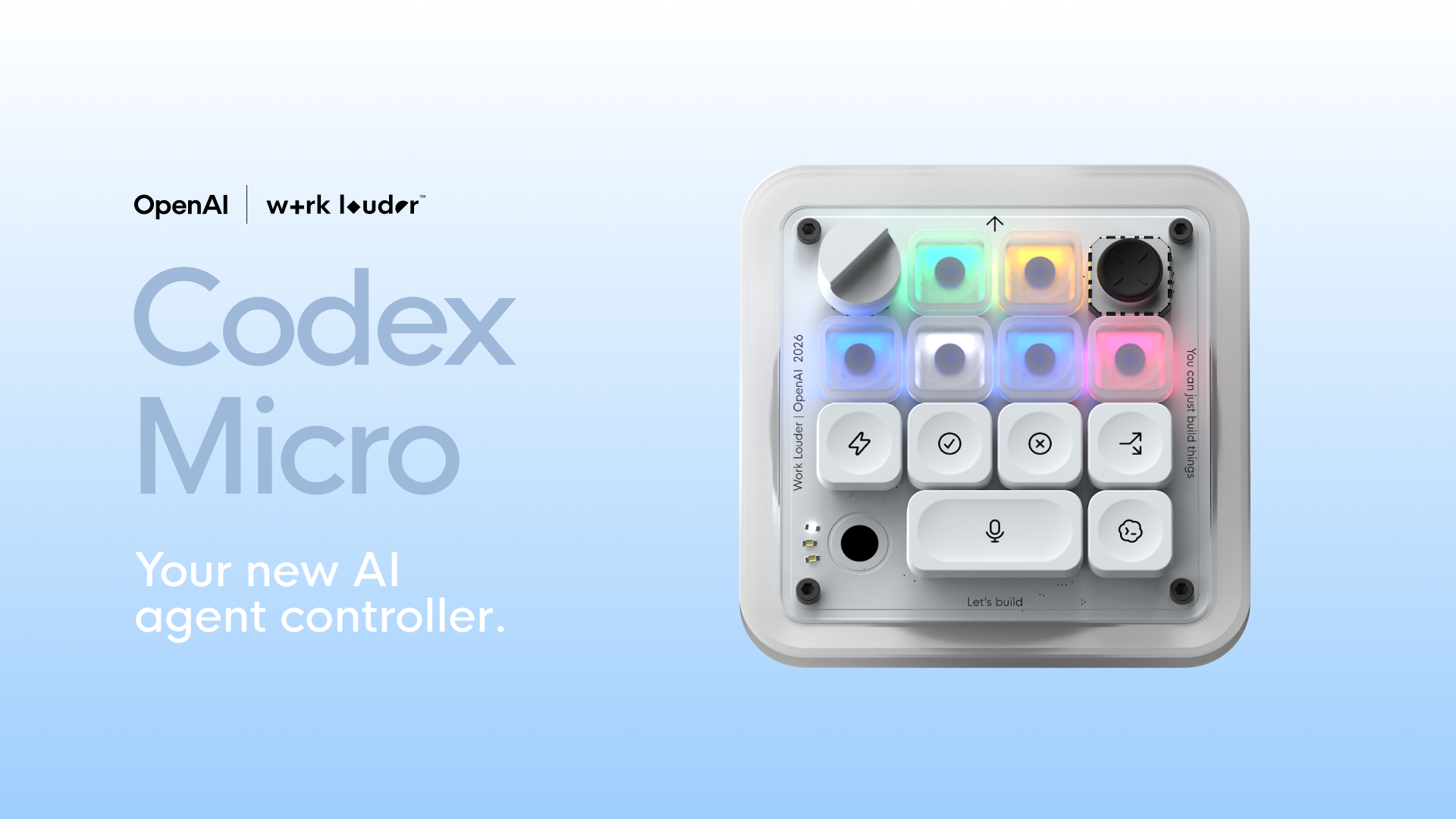
Codex Micro Alternative: Is VibeKeys the Better AI Coding Keypad?

· 阅读需 9 分钟
VibeKeys Team
VibeKeys Team

Looking for a Codex Micro alternative usually means asking a practical question: do you need a deeply layered Codex controller, or a keypad that fits the way you use AI coding tools every day? VibeKeys starts at $39, works with Codex and several other tools, and includes a dedicated voice-input key. Choose the Max model and you also get live Codex status and remote control when you step away from the keyboard.

The short version: Codex Micro is built for people who want to shape detailed controls around Codex. VibeKeys is the more flexible buy if you care about price, voice input, multiple AI tools, or keeping an eye on an agent from across the room.

What to Look for in a Codex Micro Alternative​

Start with the actions you repeat, not the number of keys on the desk. A useful control device should remove small interruptions from AI-assisted development without locking you into a workflow you may outgrow. Four questions quickly narrow the choice:

  • Agent compatibility: Can the keypad move between coding tools, or is it designed around one ecosystem?
  • Everyday controls: Does it make approval, review, navigation, and voice prompting easier?
  • Status awareness: Can you tell when an agent is working, finished, or waiting for input?
  • Total cost and setup: Does the extra hardware capability justify the price and configuration effort?

A device can offer plenty of inputs and still feel awkward if you switch agents often or leave long tasks running while you move around. The right choice is the one that shortens your actual loop.

What Is Codex Micro?​

Codex Micro desktop controller for AI agents

Codex Micro is a $230 programmable desktop control device from Work Louder, configured around OpenAI Codex workflows. Configuration runs through the company's Input software, which supports custom actions, multiple control layers, and software-linked layers that can switch when a selected application is in focus.

Codex Micro makes sense for someone who enjoys building a detailed control scheme around Codex. VibeKeys starts from a different place: put the common actions within easy reach, add voice and visible status, and keep the same hardware useful when the software changes.

What Is a Vibe Coding Keyboard?

· 阅读需 6 分钟
VibeKeys Team
VibeKeys Team

A vibe coding keyboard is a physical keyboard, keypad, or control surface designed for AI-assisted coding workflows. Instead of treating Claude Code, Cursor, Codex, Gemini CLI, OpenCode, and other coding agents like normal software apps, it gives the agent loop its own dedicated controls.

The idea is simple: when a developer works with an AI coding agent such as Claude Code or Codex, a small set of actions happens again and again. Accept a change. Reject an answer. Retry a prompt. Continue a task. Compact the context. Scroll through a long diff. Toggle voice input. Switch modes. A vibe coding keyboard puts those actions under physical keys, knobs, and sometimes a status screen.