VibeKeys Holiday Gift Guide: Which Model Should You Buy?

You've decided to give VibeKeys this holiday season. This guide helps you pick the right one: which model fits which person, what works on their computer, what ships now and what's made to order, how to buy for a whole team, and when to order for Christmas.
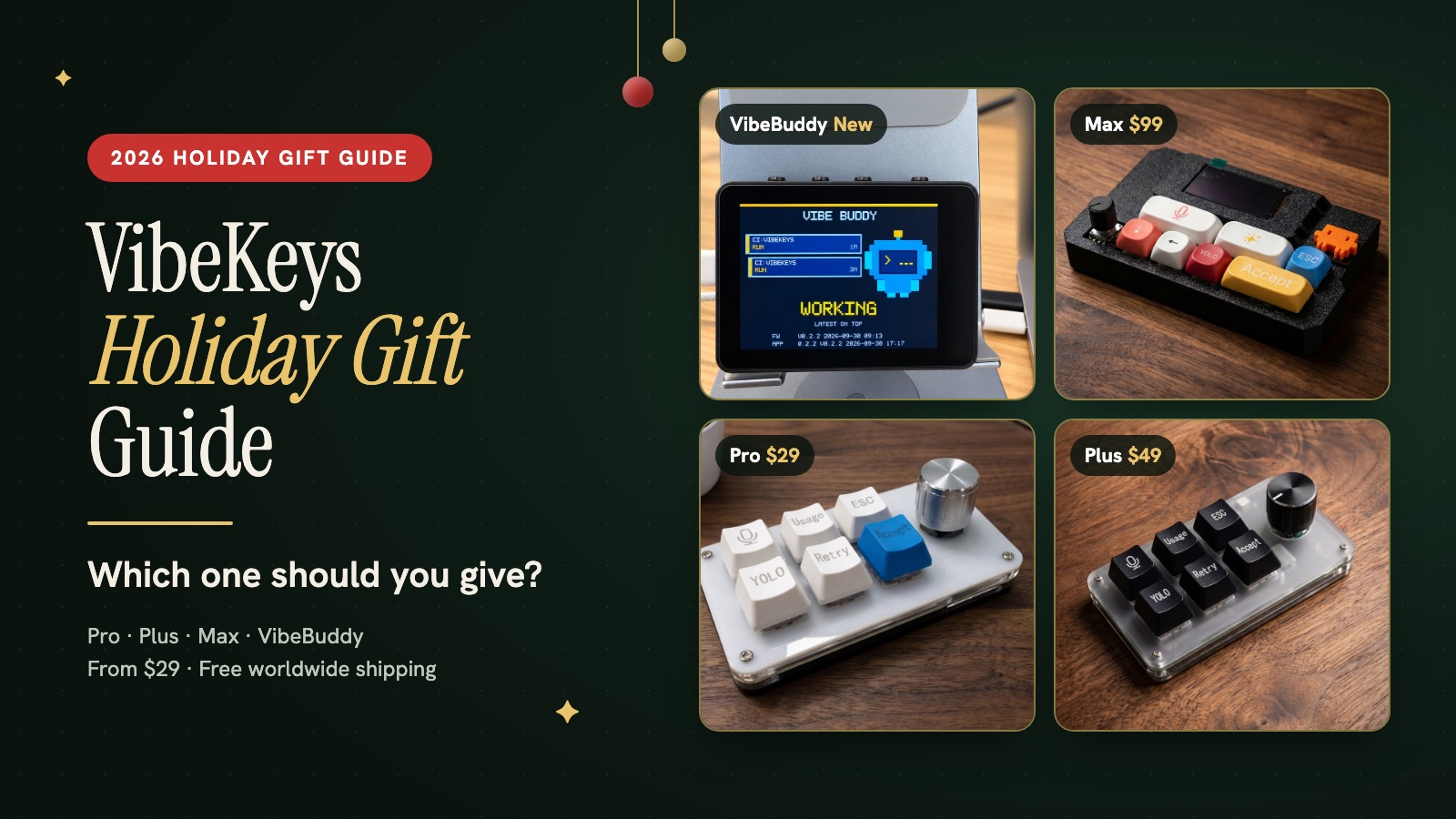
Still deciding what kind of gift to give? Start with our 27 best gifts for developers, then come back here to choose a model. Every order ships free, worldwide.
The quick answer
| Model | Price | Give it to | Works on | Availability |
|---|---|---|---|---|
| VibeKeys Pro | $29 | Anyone starting out with AI coding; Secret Santa | macOS, Windows (wired USB-C) | Ready to ship |
| VibeKeys Plus | $49 | Someone with a tidy desk or more than one computer | macOS, Windows, Linux | Ready to ship |
| VibeBuddy | $59 until Nov 7, then $69 | Developers who run AI agents in the background | Apple silicon Mac (macOS 14+); Linux experimental | In stock, ships within 3 business days |
| VibeKeys Max | $99 | The enthusiast who wants the flagship | macOS, Windows, Linux | Made to order in their colour, ships within 5 business days |
If you know little about their setup, choose Pro for a Mac or Windows user and Plus for a Linux user. If they talk about Claude Code, Codex or "my agents" and use an Apple silicon Mac (macOS 14 or later), choose VibeBuddy; on Linux it's experimental, and it doesn't work on Windows yet. If they love configuring their desk, choose Max. For a side-by-side of the three keyboards' specs, see Pro vs Plus vs Max.
Which model for which person
VibeKeys Pro, $29: the safe first gift
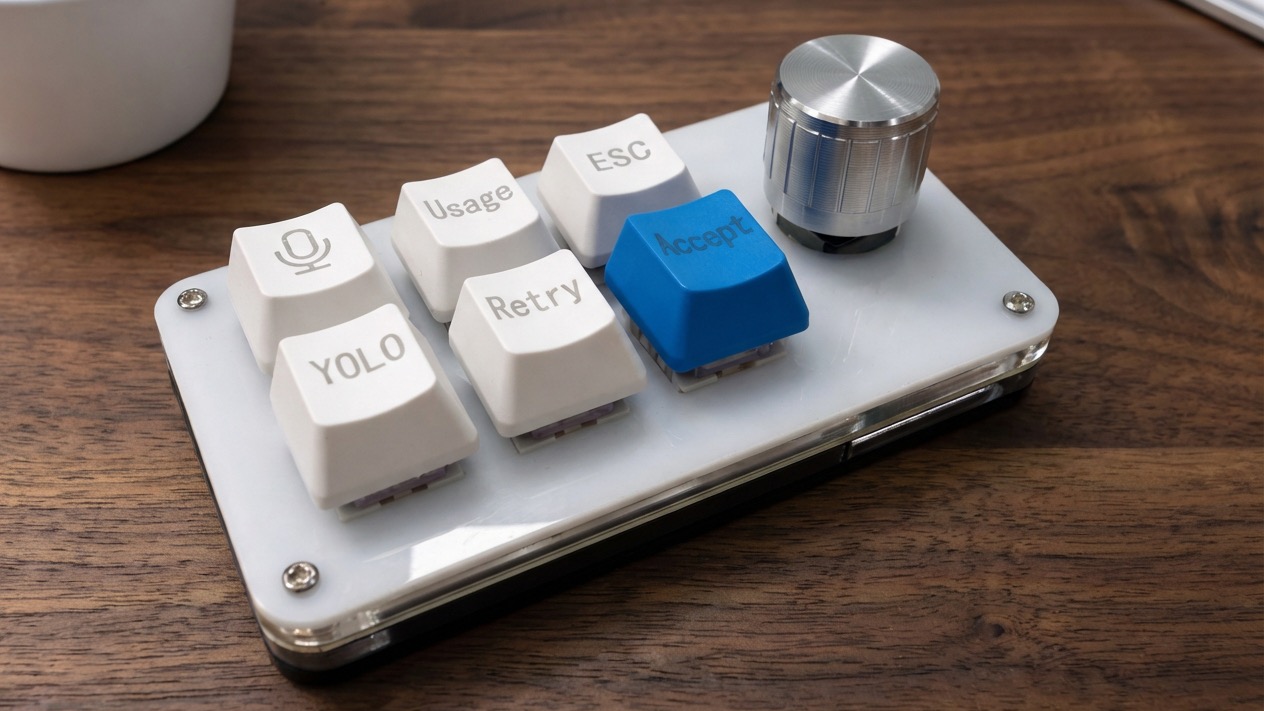
Six programmable keys and a knob over USB-C, with defaults for AI coding: accept, retry, stop, voice and more. It sits beside the keyboard they already love, with nothing to charge.
Give it to: a student or junior developer, someone trying AI coding for the first time, a Secret Santa exchange around $30, or anyone who likes simple wired gear.
VibeKeys Plus, $49: the wireless upgrade
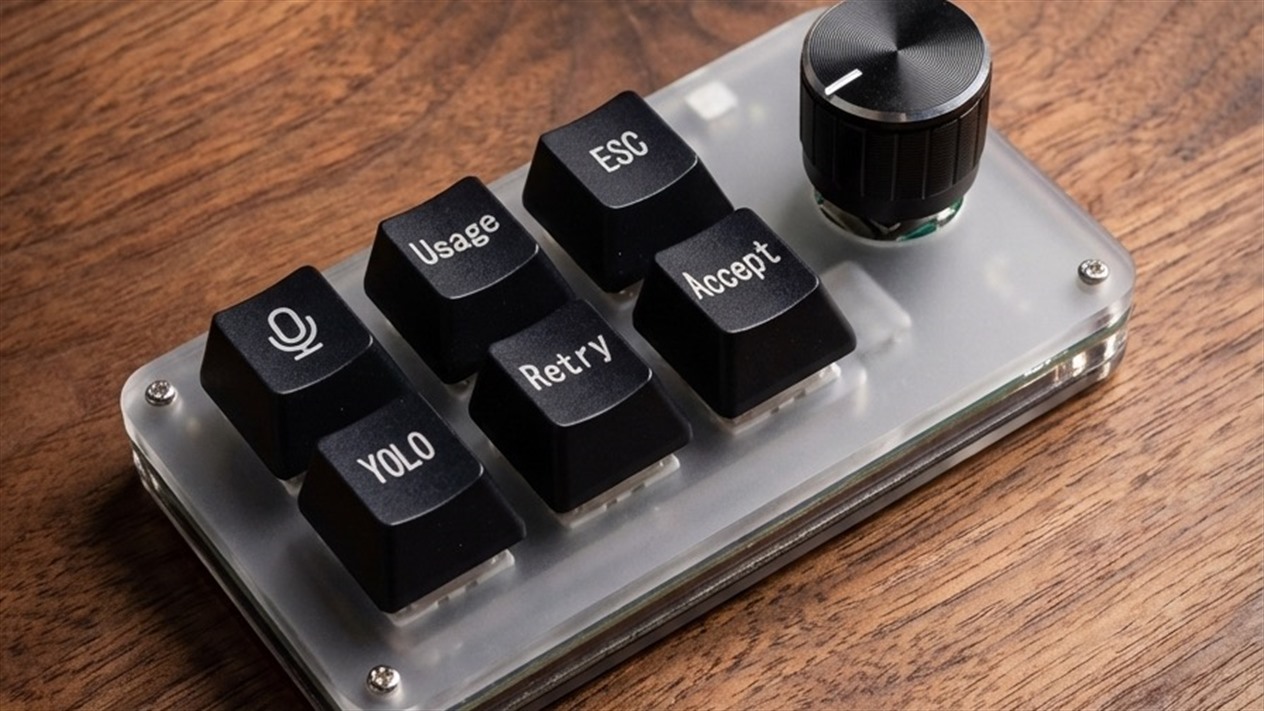
The same six keys and knob, with Bluetooth, Wi-Fi and up to 15 days of battery.
Give it to: the remote worker who changes spots, the cable minimalist, someone who switches between a laptop and a desktop, or a Linux user.
VibeBuddy: for the developer running AI agents
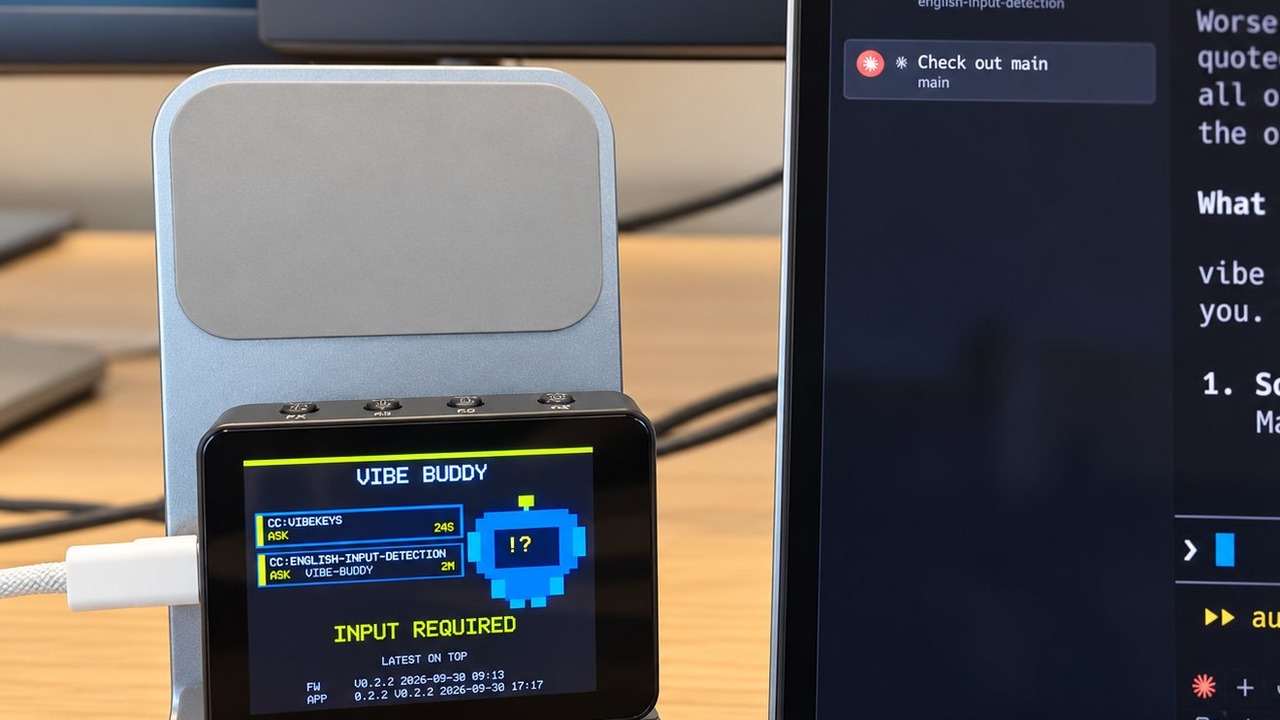
A small box with a colour screen that watches their coding agents and speaks up only when one needs input, finishes or fails. Pressing K2 brings that session's terminal to the front. It works with Claude Code, Codex, OpenCode, GitHub Copilot CLI, Pi and GitHub Actions, plugs in with one USB-C cable, and its firmware and protocol are open source.
Give it to: someone who keeps several agent sessions open, misses agent prompts while working in another app, or already owns every usual developer accessory.
VibeKeys Max, $99: the flagship
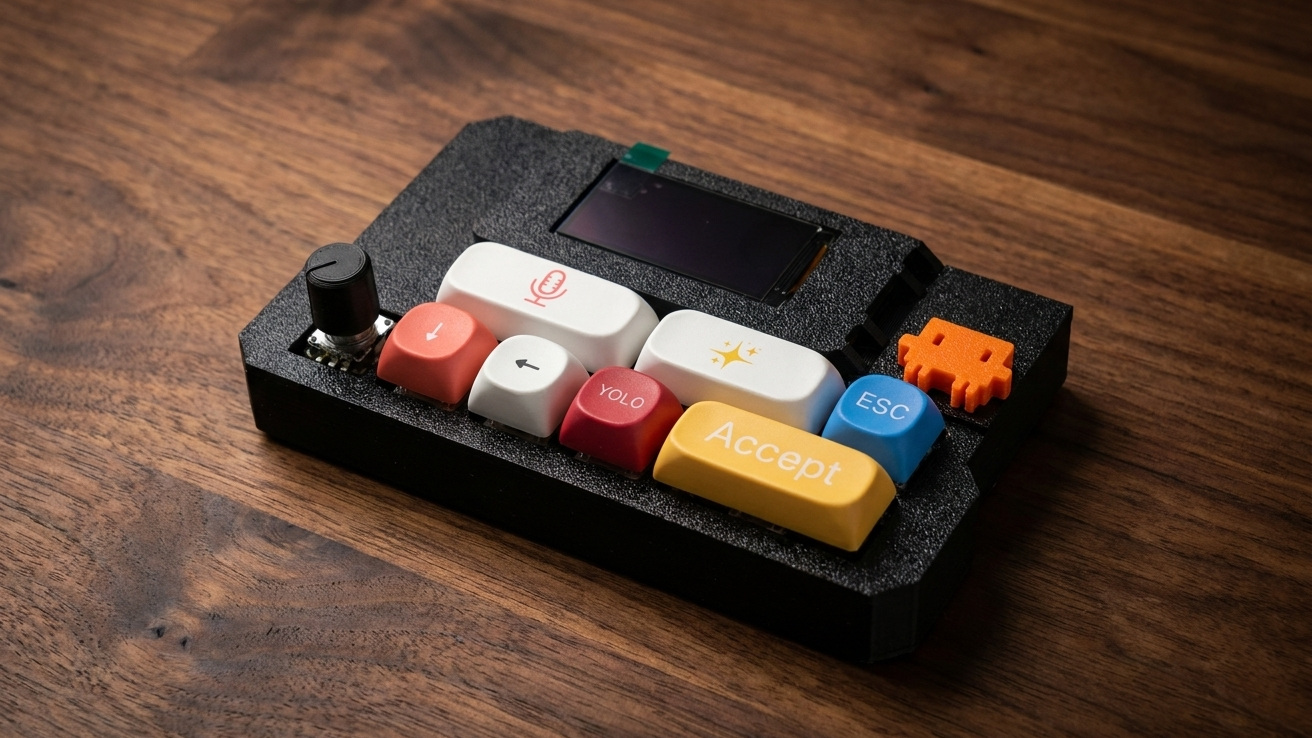
A status screen that shows what Claude Code is doing, a built-in microphone for voice input, Bluetooth and Wi-Fi, and a remote mode for steering agents away from the desk. Each case is 3D printed in the colour you choose: Forest green or Signal Red for the season, or one that matches their desk. Other colours are available on request.
Give it to: an experienced AI coding enthusiast, a hardware tinkerer, or a partner, close friend or teammate getting a premium gift.
Max or VibeBuddy? Max is an all-round AI coding control surface. VibeBuddy is for keeping track of background agents.
Check their computer first
The most common gift mistake is a device that doesn't work on the recipient's computer.
| macOS | Windows | Linux | |
|---|---|---|---|
| VibeKeys Pro | ✓ | ✓ | — |
| VibeKeys Plus | ✓ | ✓ | ✓ |
| VibeKeys Max | ✓ | ✓ | ✓ |
| VibeBuddy | Apple silicon, macOS 14+ | — | x86_64, experimental |
VibeBuddy also needs at least one supported agent or CI: Claude Code, Codex, OpenCode, GitHub Copilot CLI, Pi or GitHub Actions.
In stock, made to order, or custom
| Type | What it means | Lead time |
|---|---|---|
| In stock (Pro, Plus, VibeBuddy) | Standard units, ready to ship | VibeBuddy ships within 3 business days |
| Made to order (Max) | Each case is 3D printed in the colour you choose | Ships within 5 business days; most orders arrive within 10–16 days |
| Custom (team orders) | Your logo, keycaps, key legends or gift box | Typically 4–6 weeks after you approve the design, including production and shipping |
Holiday delivery: when to order
- VibeKeys Max: we recommend ordering by December 7 if you want it for Christmas. It ships within 5 business days and most orders arrive within 10–16 days, but transit depends on the destination.
- VibeBuddy: ships within 3 business days; delivery time depends on the destination.
- Custom team orders: to aim for December, send your request by October 30. That date is for starting the conversation; the delivery date is confirmed in your quote.
- VibeKeys Pro and Plus: ready to ship now. We'll publish their last Christmas order dates in early December; email subscribers get them first.
Need it by a specific date? Email us before you order with the destination, and we'll tell you whether it can arrive in time.
Buying for a team or company
For year-end gifts, onboarding kits or customer thank-yous, there are two routes.
Standard units, fast. Buy any model in quantity, shipped to one office or straight to each person's address. VibeBuddy team orders usually start at 10 units; standard in-stock units ship within 3 business days of your order being confirmed. A custom gift box with your logo is also available, with its options, cost and timing confirmed in your quote. See VibeBuddy gifts.
Co-branded keyboards. Put your brand on VibeKeys Pro, Plus or Max. You approve a physical proof before production, and the proof fee is credited back once you go ahead. Minimums per option:
| Option | Pro | Plus | Max |
|---|---|---|---|
| Your logo on the device | 50+ | 50+ | 10+ |
| Custom keycaps (colour and material) | 50+ | 50+ | 10+ |
| Custom key legends and matching keymap | 50+ | 50+ | 20+ |
| Custom gift box | 50+ | 50+ | 20+ |
Invoices are available for company purchases. To get a quote, use the developer gifts form and include your date and quantity.
Gift pairings
Buying two, one to give and one for your own desk? Use Add to Cart on each product page and check out once; shipping is free.
| Pairing | Price now | After November 7 |
|---|---|---|
| VibeBuddy + VibeKeys Pro | $88 | $98 |
| VibeBuddy + VibeKeys Plus | $108 | $118 |
| VibeBuddy + VibeKeys Max | $158 | $168 |
"Price now" includes VibeBuddy's $59 launch price, which ends November 7 at 11:59 pm PT.
FAQ
Which VibeKeys should I buy if I don't know their setup?
VibeKeys Pro ($29) if they use macOS or Windows; it's wired and sits beside their keyboard. VibeKeys Plus ($49) if they use Linux or prefer wireless.
What's the difference between VibeBuddy and VibeKeys Max?
VibeKeys Max is a control surface for AI coding, with keys, a knob, a status screen and voice input. VibeBuddy watches background coding agents and tells you which one needs you. Choose by the problem they have.
Does VibeBuddy work on Windows?
Not yet. VibeBuddy needs a Mac with Apple silicon and macOS 14 or later, or x86_64 Linux (experimental).
When should I order for Christmas?
For VibeKeys Max, we recommend ordering by December 7; it ships within 5 business days and most orders arrive within 10–16 days, depending on the destination. VibeBuddy ships within 3 business days. Custom team orders typically take 4–6 weeks after design approval, including shipping, so send requests by October 30 to aim for December. For a firm date, email us before ordering.
Can I order for my whole team with our logo?
Yes. A logo on VibeKeys Max starts at 10 units, and on Pro and Plus at 50. VibeBuddy team orders usually start at 10 units; a custom logo gift box is quoted separately. Each unit can ship to a different address, and invoices are available.
Ready to choose
VibeKeys Pro · Plus · Max · VibeBuddy, free worldwide shipping. Buying for a team? Start with developer gifts or VibeBuddy gifts.