Stop Babysitting Your Terminal: Introducing VibeBuddy

You have three agents running: Claude Code refactoring one project, Codex writing tests in another, and a CI run you started ten minutes ago.
One of them is waiting for you. Which one?
You can keep flipping through terminal tabs to check. Or you switch to something else, and twenty minutes later you find an agent has been sitting on an approval prompt the whole time.
VibeBuddy is a small box that sits next to your keyboard and watches all your agents for you, so you can stop babysitting the terminal.
Meet VibeBuddy
VibeBuddy keeps an eye on Claude Code, Codex and your GitHub Actions runs. When an agent needs you, finishes or fails, it tells you with an animation, a task card and one short spoken line. While agents work, it stays quiet.
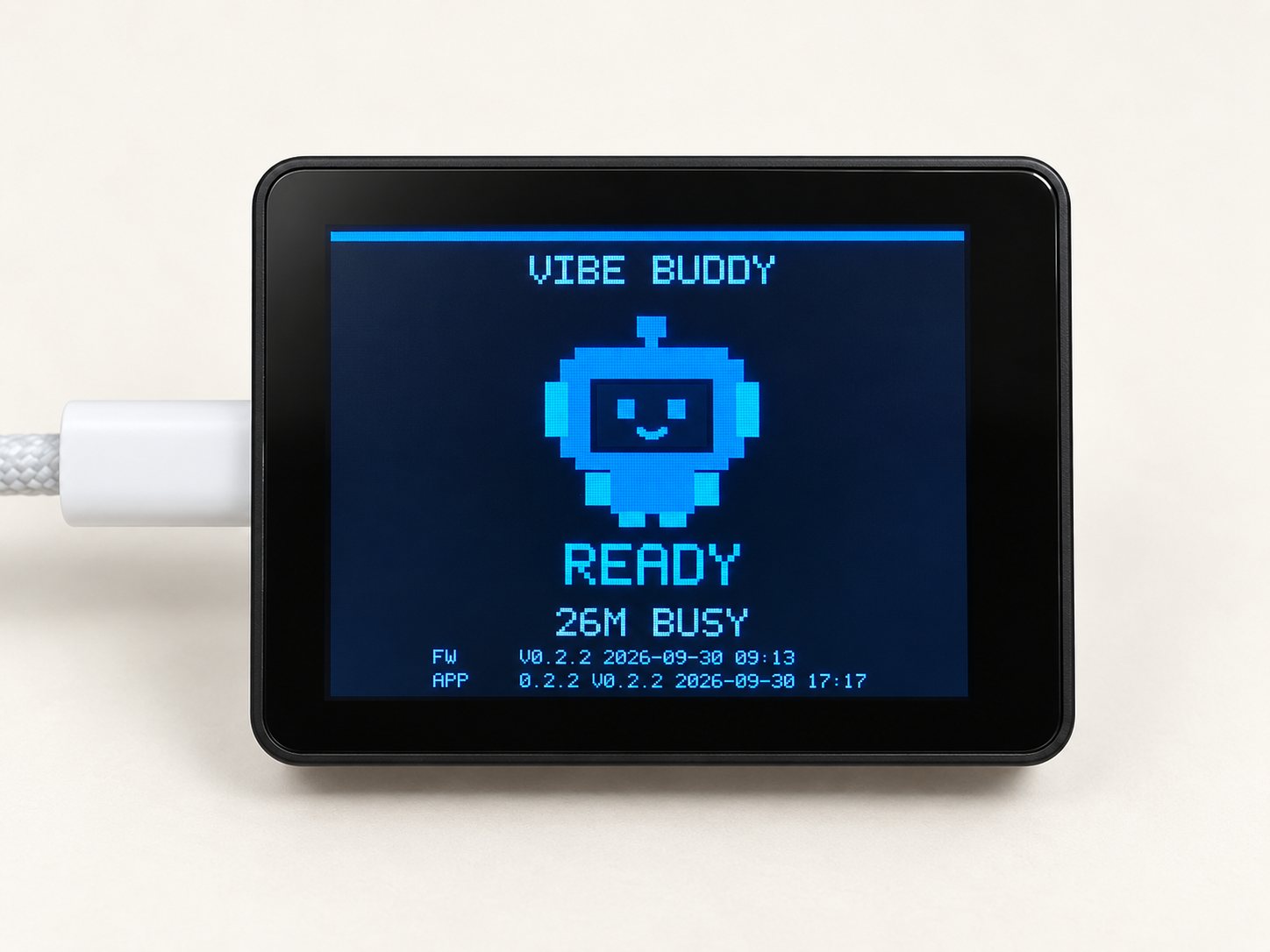
What it looks like in a real session
Here is the loop VibeBuddy is built around.
You start a task. A card appears on the box with the agent (CC for Claude Code, CX for Codex), the session name and the project. The buddy types along with it, silently. You go do something else.
The agent needs you. It wants to run a command, or it has a question. The card switches to Input required and the box says one short line, out loud, once. Press K2 on the box and the most recent session, the card on top, comes to the front. You answer, and it carries on.
The task finishes. You hear it, and the card shows Done with how long it took. If a run fails, you hear that too.
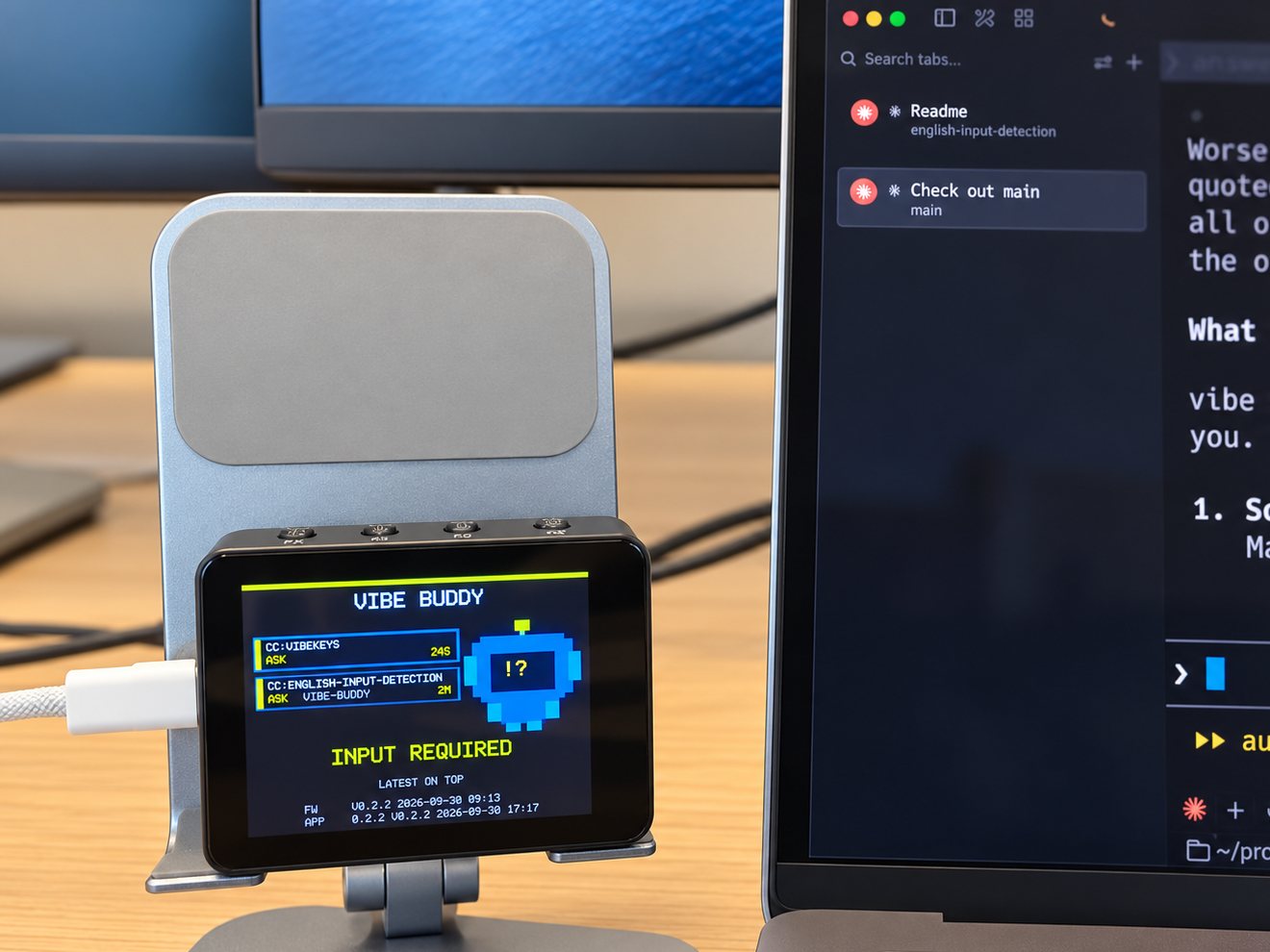
That's the whole idea: you only look at the agent when the agent actually needs you.

Every agent on one screen
Most of us don't run just one agent anymore. VibeBuddy shows up to three task cards, newest on top: Claude Code, Codex and GitHub Actions side by side, each with how long it has been in its current state.
GitHub Actions needs no setup at all. VibeBuddy reads your runs through the gh CLI you're already signed in to, for the repositories your agents worked in recently.
Claude Code and Codex are supported today, and we're already working on more coding agents, with support coming soon. In the meantime, anything that can make an HTTP request can put a card on the box (see Open source below).

It is quiet by design: it never sends Mac notifications for agent events, and a long press on K2 mutes it.
More than alerts
When there's nothing to watch, VibeBuddy is still useful.
Pomodoro. Press K1 and the box becomes a focus timer: 25 minutes of focus, 5 of break, with a chime and a spoken line at the end of each phase. It runs on the box itself.

Today's stats. Between tasks, the screen shows what got done today. Leave it alone long enough and the buddy wanders off to play, dozes, and turns its screen off at night. Any agent activity brings it straight back.
Your choice of voice. Pick from two English and two Chinese announcement voices, and set the volume in the app.
Better with VibeKeys, especially with several agents
Running several agents at once is also where VibeBuddy pairs best with a VibeKeys keypad.
With three sessions going, the hard part isn't answering an agent. It's knowing which one is waiting on you. VibeBuddy watches all of them, Claude Code, Codex and your CI runs, and calls you the moment one needs you, with the card on top showing which session it is. Press K2 to bring that most recent session to the front.
Then VibeKeys takes over: Accept, Reject, Retry or Undo on real keys, or the Voice key for a spoken prompt, without hunting for the right shortcut.
VibeBuddy tells you where to look; VibeKeys lets you act once you're there. Each works on its own, but together they let you keep several agents moving without watching any of them.
Setup takes a few minutes
- Install and open the VibeBuddy app on your Mac.
- Plug the box in with the included USB-C cable.
- Click Connect next to Claude Code and Codex, then Write to confirm. You never edit a config file yourself.
- Open Claude Code or Codex and give it a task.
The hook only forwards session IDs, event names and the working directory, never your prompts, replies or code.
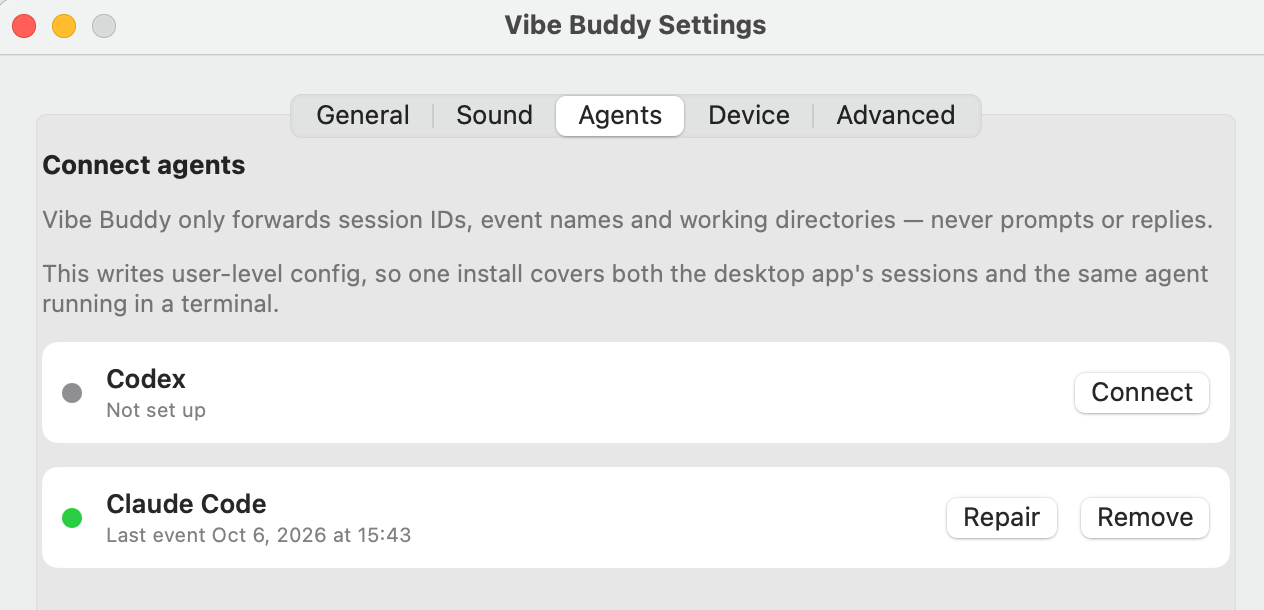
The setup guide walks through each step, plus the buttons, every screen state and troubleshooting.
Open source
VibeBuddy's software is open source under GPL-3.0-or-later: the Rust firmware, the daemon, the hooks, the Mac and Linux apps, and the protocol are all on GitHub. The protocol isn't tied to any one agent: with the app running, anything that can make an HTTP request can put a card on the box:
curl -H 'content-type: application/json' \
  --data '{"version":1,"event":"task.done","title":"Hello"}' \
  http://127.0.0.1:7331/v1/events
If you'd rather build your own, the hardware notes and firmware are in the repo. If you'd rather not, we sell it assembled, flashed and tested.
Get your VibeBuddy
Pre-orders are open now, with an early-bird price for a limited time and free worldwide shipping. Units are hand-assembled and tested, and ship from October 14, 2026. If you change your mind before yours ships, you can cancel for a full refund.
VibeBuddy needs a Mac with Apple silicon and macOS 14 or later. x86_64 Linux is supported as an experimental option; Windows isn't supported yet.